


What’s Causing This?
Category pages in WordPress are automatically generated and are designed to use the full width of the page.
However, when you click “Edit with Elementor” on a category page, it converts that page into an Elementor layout. Elementor applies a fixed content width (typically around 1400px), which limits how many columns can fit on the screen.
As a result, your layout shrinks from 4–5 columns down to just 2.
How to Fix It
You can easily restore the original layout by switching the page back to the default WordPress editor:
- Visit your category page on your website
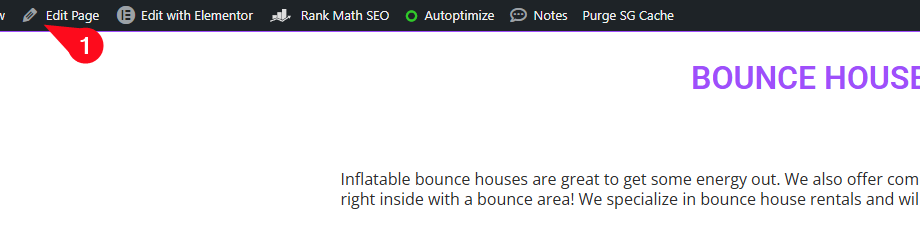
- In the top admin toolbar, click “Edit Page”
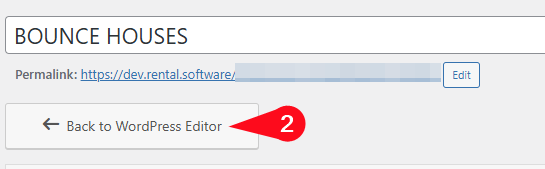
- Click “Back to WordPress Editor”
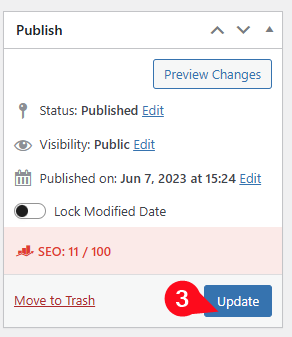
- Update the page
⚠ Important Notice
- Any changes previously made using Elementor will be lost once you switch back to the WordPress editor.
- If you need to update your category content (such as descriptions), please do this inside the IO software, using:
- Category Short Description
- Category Long Description
Best Practice Moving Forward
Avoid editing category pages with Elementor. These pages work best when left as default WordPress templates.