Consumable items are items added into your inventory that you need to keep track of, in the event you need to order more. The benefits of adding inventory in as a consumable items are to provide a systematic approach to proper and effective inventory management, such as keeping track of inventory to avoid overstocking, shortages, out-of-stock inventory and also preventing unnecessary waste.
Some examples of consumable items may be:
- Servings/Extra servings for concessions:
- Leftover popcorn kernels
- Leftover cotton candy floss
- Leftover Sno-Cone syrup
- Paper Products:
- Plates
- Napkins
- Cups
- Tablecloths
- Utensils:
- Plastic forks, knives, and spoons
- Disposable serving utensils
- Decorations:
- Balloons
- Streamers
- Confetti
- Party hats
- Party favors
- Catering Supplies:
- Food trays
- Aluminum foil pans
- Sterno cans (for heating food)
- Disposable food containers
- Beverage Supplies:
- Drink stirrers
- Cocktail napkins
- Disposable straws
- Beverage dispensers (if they come with replaceable parts like filters)
- Cleaning Supplies:
- Trash bags
- Liners
- Disposable gloves
- Cleaning wipes
- Lighting and Effects:
- Glow sticks
- Sparklers
- Disposable batteries (for battery-operated decorations or devices)
- Health and Safety Items:
- Hand sanitizer
- Disposable masks
- Sanitizing wipes
How to add Consumables to your Inventory
This is how you would add a consumable item into inventory, by selecting the drop down arrow next to "Add Inventory":
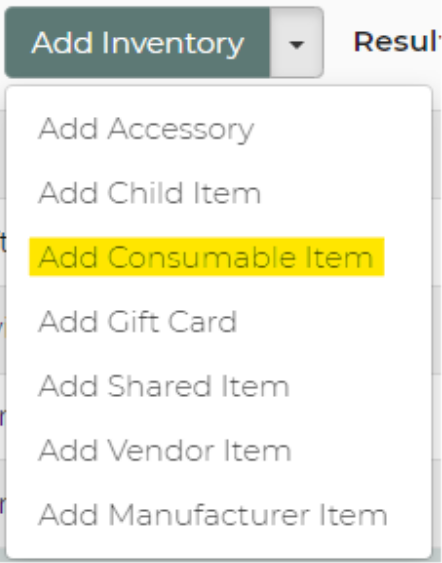
You would then fill out all of the information, as if it were an inventory item.
Quantity
Once you have the consumable items added, you will have the ability to select the quantity of the item and keep track of the total inventory you have on hand by date.
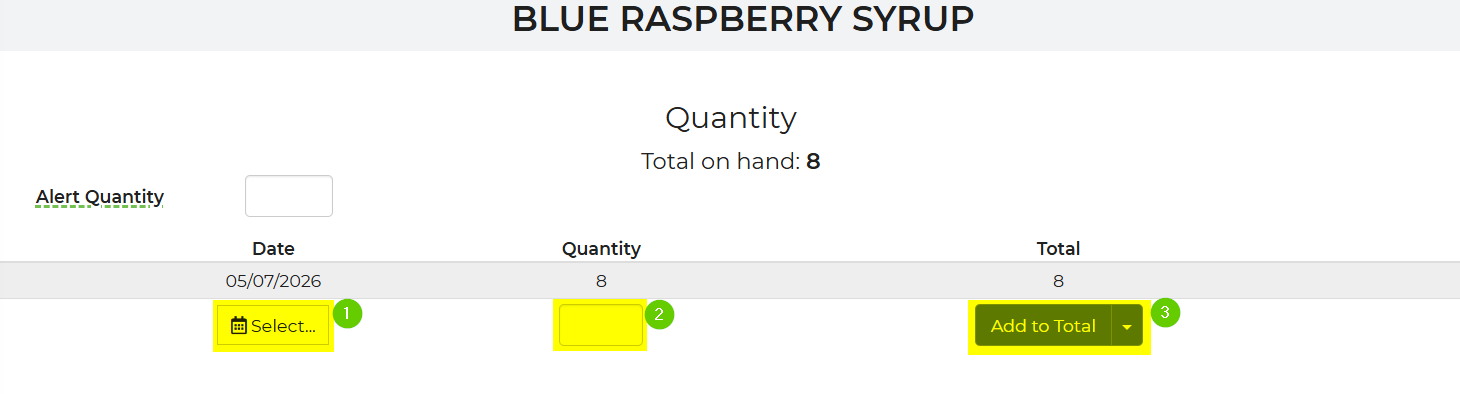
When adding to the quantity, you would select the date the consumable item(s) come in to increase the total you have. This can also help prevent items from expiration dates and allowing you to know when to order more of the item(s).
The items will subtract from the quantity when added to a lead that is in a reserved status.
Consumable Items – Low Inventory Alerts
Use the Consumable Item Low alert to be notified when a consumable’s available quantity drops to or below a threshold you set, so you can reorder before you run out.
- The system continuously checks consumable availability when it evaluates inventory (for example, during availability checks for leads/events).
- When a consumable’s available quantity becomes equal to or less than its Alert Quantity, the system triggers a Consumable Item Low alert via email.
- The alert appears in your normal Alerts Center (where you see other system alerts in your account).
- The alert includes which consumable item is low so you know what to reorder.
- You will have to activate the alert within the Alert Center.
Step-By-Step Instructions
- Open Inventory settings.
Go to Settings -> Inventory.
- Edit or create a consumable item.
- Open the item you want to track (for example, “Popcorn Servings – 50 pack”).
- Make sure it is configured as a Consumable Item (using the consumable/stock-on-hand option in the item settings).
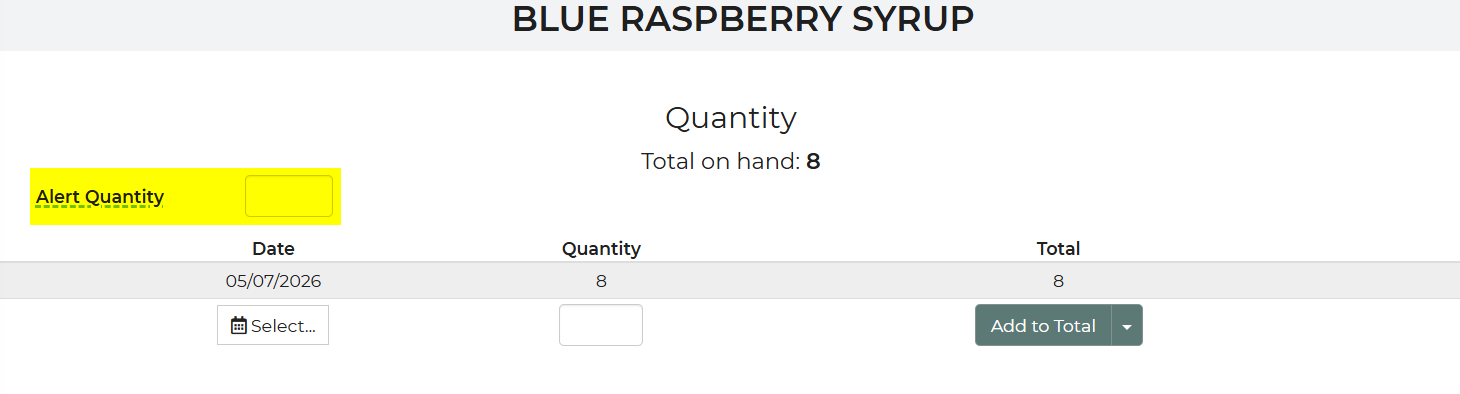
- Locate the “Alert Quantity” field.
When an item is marked as consumable, an Alert Quantity field is available on that item.
- Enter your low-stock threshold.
In Alert Quantity, enter the quantity at which you want to be notified, for example:
- Alert when stock falls to 50 or less.
- Save the item.
Click Save to apply the alert threshold to that consumable.