


Navigate to the Workers Site from the Workers App
Use the Workers App menu to open the Workers Site, where you can view and manage available worker scheduling and event information.
Prerequisites
- Install and sign in to the Workers App. Here are the instructions for getting started with the Workers App.
- Your worker account must be approved.
- Your must grant access to the applicable Workers Site features.
Open the Workers Site
- Open the Workers App.
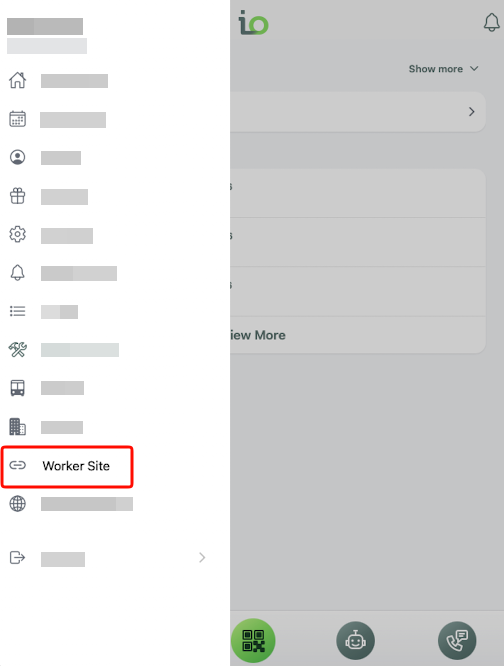
- Select the hamburger menu in the upper-left corner.
- Scroll toward the bottom of the menu.
- Select Worker Site.
Use Cases
- Review your schedule and event details.
- Access Workers Site features permitted by your administrator, such as shift sign-up, availability, or time-off requests.