


The IDTech VP3350 is a card reader that allows you to accept in-person, card-present payments directly through the IO Workers App.
🛑🛑🛑 Please note: This feature is available exclusively for accounts using Fiserv as their payment processor.
Requirements
- Payment Processor: Fiserv
- Device: IDTech VP3350 card reader
- Connection: USB-C or Lightning cable
- App: IO Workers App (latest version recommended)
- Supported Devices: iPhone, iPad, and Android devices
Important: Bluetooth is not currently supported. The card reader must be physically connected to the mobile device.
Picture of IDTech VP3350: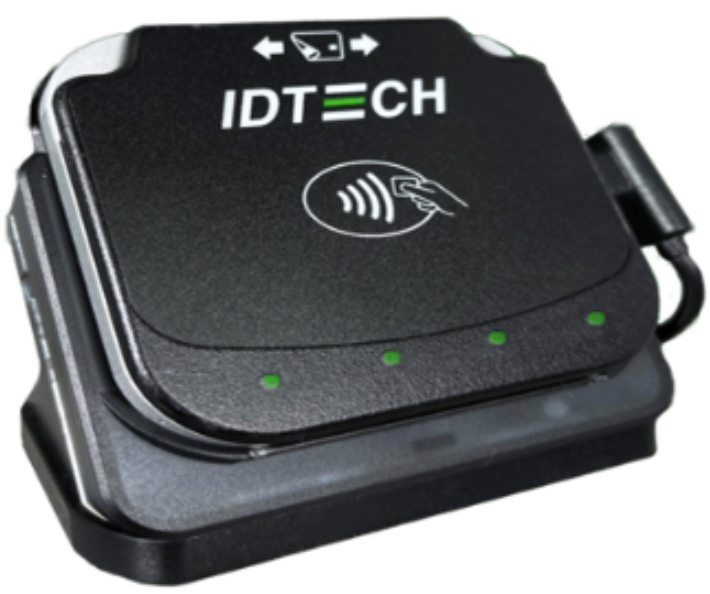
Connecting the Card Reader
- Plug the IDTech VP3350 into your mobile device using the appropriate USB-C or Lightning cable.
- Open the IO Workers App.
- No pairing process or separate application is required.
Note: The Workers App does not currently display a visual indicator when the card reader is connected. The app will appear the same whether the reader is plugged in or not.
Accepting a Card-Present Payment
- Open the IO Workers App on your mobile device.
- Navigate to the lead you need to collect payment for.
- Tap View Contract / Payment Due.
- Scroll to the Make a Payment section.
- Tap inside the card number field to place focus on it.
- With the field selected, swipe, insert, or tap the customer's card on the connected IDTech VP3350.
- The card information will populate automatically.
- Complete the payment as normal.
Important: The card number field must be selected before swiping, inserting, or tapping the card. If the field is not selected first, the card data will not be captured.
How It Works
When a payment is processed using the IDTech VP3350 through the Workers App, the card information is tokenized. This means the actual card number is never stored by InflatableOffice.
The transaction is sent through Fiserv and identified as a card-present transaction, allowing it to qualify for the lower in-person processing rate.
Ordering the Device
The IDTech VP3350 card reader can be ordered by contacting our company. Reach out to confirm order and current pricing.
Reach out to our team to place an order, as of June 12 2026, the device was $199 USD.
Troubleshooting
| Issue | Solution |
|---|---|
| Card data does not populate after swiping | Ensure you tapped into the card number field before swiping, inserting, or tapping the card. |
| Card reader is not responding | Disconnect and reconnect the USB-C or Lightning cable, and verify it is fully seated. |
| Attempting to connect via Bluetooth | Bluetooth is not supported. The card reader must be connected directly by cable. |
| The app looks the same with or without the reader connected | This is expected behavior. The Workers App does not currently display a connection indicator. |
Frequently Asked Questions
Q: Does the card reader work over Bluetooth?
A: No. At this time the IDTech VP3350 must be connected directly to the mobile device using a USB-C or Lightning cable to work with our mobile application.
Q: Will I know when the reader is connected?
A: There is currently no visual indicator inside the Workers App showing connection status. If the reader is plugged in properly and the card number field is selected, it is ready to accept card input.
Q: Will this work if I'm using another card processing connection?
A: Currently only our connection with Fiserv supports taking payments directly inside of the mobile app.
Q: Does this mean I can't accept in person payments with any other card processor?
A: No. You are welcome to accept in-person payments using any payment processor or card reader you choose.
This article only covers taking payments directly through the IO Workers App and having those payments automatically recorded in InflatableOffice.
If you use another processor or device outside of the Workers App integration, you can still process the payment normally. The only difference is that the payment will need to be entered into InflatableOffice manually, including the payment date, amount, and associated lead or event.