


Reports show your leads in a list. Group By takes that list and sorts it into groups, so you can see how many leads share the same answer.
You can now group a report by two kinds of optional fields (the custom fields you add to your account):
- Select fields: fields where you pick one answer from a dropdown list
- Checkbox fields: fields that are either checked or not checked
Why Would I Use it?
Say you have a select field called "Event Type" with the answers Birthday Party, School Event and Company Picnic. If you group your report by that field, you get one row for each event type and can see right away which kind of event books with you the most.
How to Set it up
- Open the report you want to change, or create a new one.
- Add your select or checkbox optional field as a column in the report.
- Check the Group By box for that column.
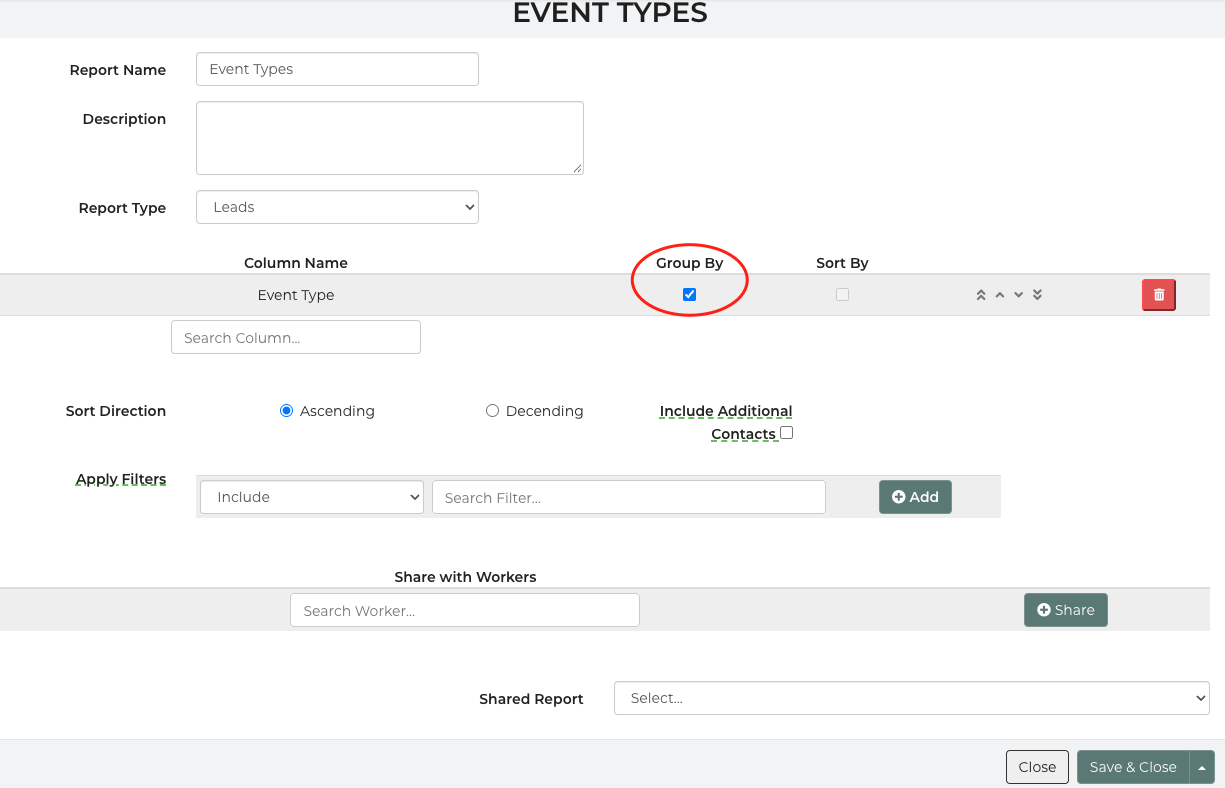
- Save the report.
What You'll See
For a select field:
- You get one row for each answer, like Birthday Party, School Event and Company Picnic.
- Leads where nobody picked an event type are put together in one blank row.
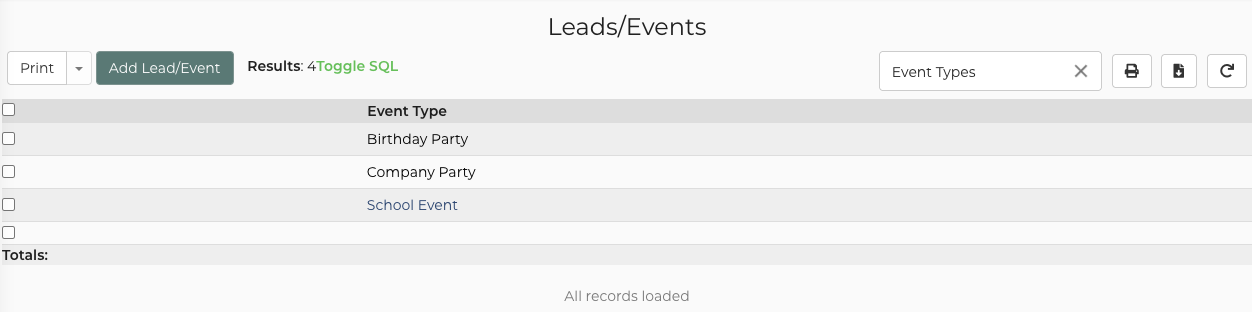
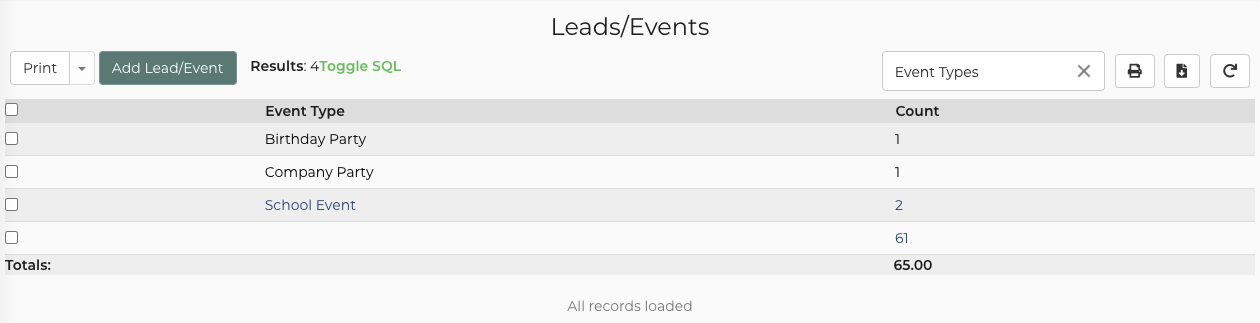
Please Note: The result count at the top of the report shows the number of groups, not the number of leads. In this example screenshot, we have added "Count" under the report column and it provides a count of the leads that have the optional field selected and a count of the leads that do not have the optional field selected.
For a checkbox field:
- You get two rows: Yes (checked) and No (not checked).
- Leads where the box was left empty are counted under No.
Things to Keep in Mind
- Only select and checkbox fields work. Other optional field types, like text or date fields, can't be grouped.
- The field has to be in the report. If it isn't added as a column, or isn't a select or checkbox field, the report won't save and you'll see a message explaining why.
- Automations follow your grouping. If an automation sends out this report's data, the data arrives grouped the same way.
- Dashboards show the groups, but you can't click into them. If a dashboard table is built from a report grouped by an optional field, it shows the grouped rows, but you can't click a row to see the leads inside it.
Quick Summary
|
Field type |
Example |
How it groups |
Empty answers go to… |
|---|---|---|---|
| Select (dropdown) | Event Type | One row per answer | A blank row |
| Checkbox | Needs a Generator | Yes and No | No |