


Receiving tips in the Workers App
Workers can now get tips straight from customers through the Workers App. Each worker has a tipping QR code that a customer can scan with their phone. Workers can also send their tip link by text, email or any other app on their phone.
Before you Start
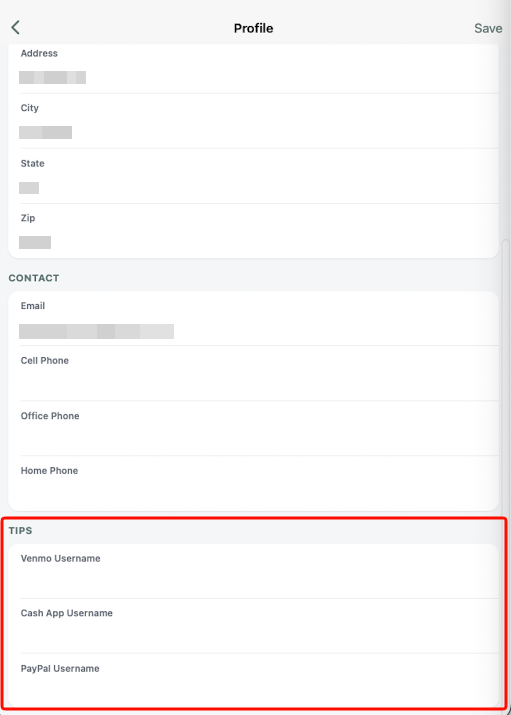
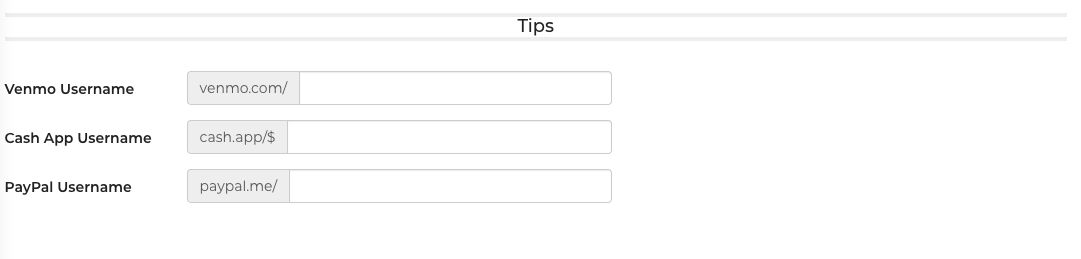
Tips go to the payment accounts on your worker profile, such as Venmo, Cash App or PayPal. If your payment usernames are missing or wrong, ask the admin or a manager to update your records, or, with permissions set, you can update these directly in the Workers App under your profile settings.
App:
Worker Profile in the Software:
Note: Customers tip outside of the software. Tip amounts aren't tracked in the app.
Show your Tipping QR Code
- Open the Workers App on your phone and be logged in on your account.
- Open the menu.
- Tap Tipping
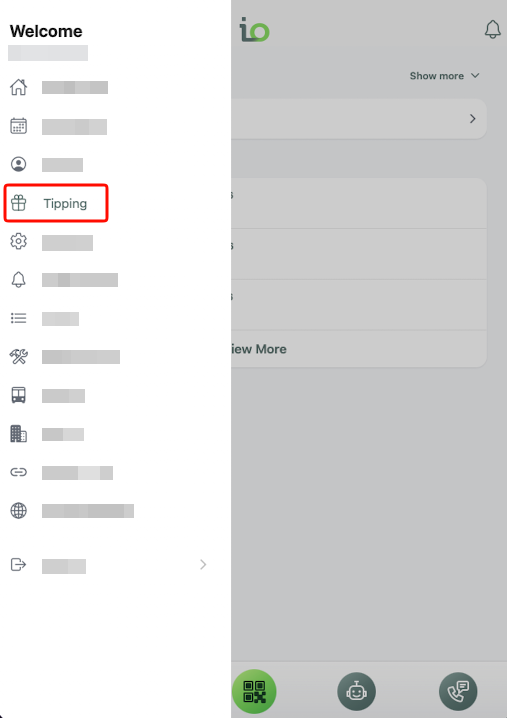
- The tipping option opens and shows your QR code.
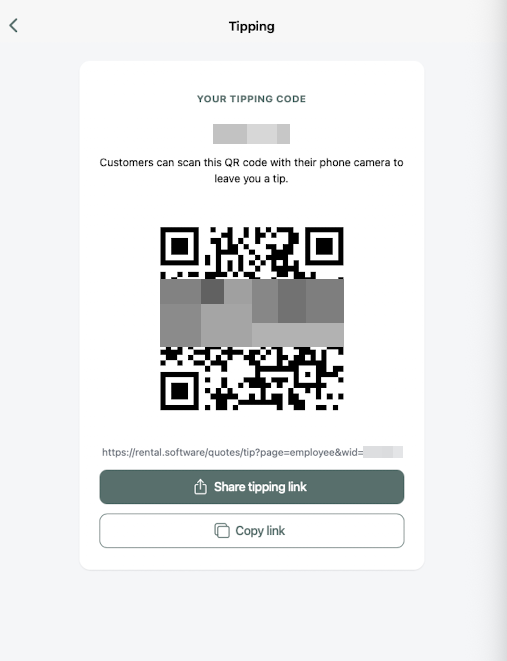
- Hold up your phone so the customer can scan the code with their camera.
Sharing your Tip Link
If the customer can't scan the QR code, or you'd like to send the link after the event:
- Open the tipping screen.
- Tap Share tipping link.
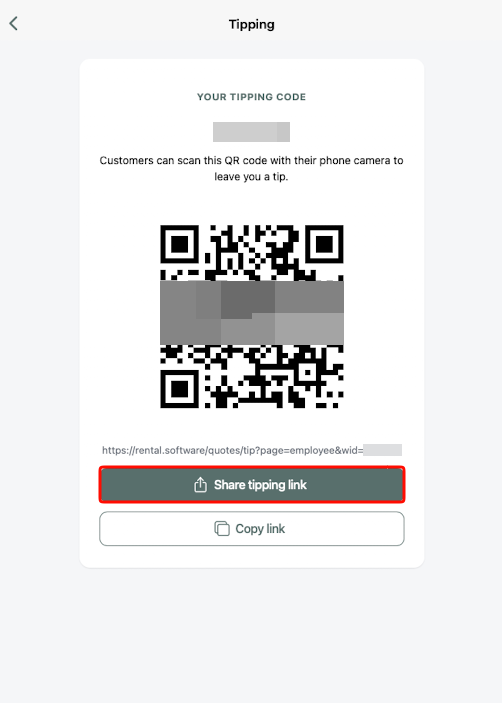
- Your phone's share menu opens. Choose how to send the link (i.e. such as messages, email or WhatsApp).
- Pick or enter the customers information, then send.
Tips for Getting More Tips
- Bring up your QR code at the end of a setup or teardown, when the customer is happiest.
- Text your link to the event contact after the event as a thank you.
- Be friendly, make eye contact and communicate with the customer.
- Help solve small problems and handle the situation with a positive attitude.
- Going the extra mile when it's reasonable and safe to do.
Frequently Asked Questions (FAQ's)
Q: Can I see how much I've been tipped?
A: No. Tips are paid outside Inflatable Office, so the app can't show your tip history or totals. Check your Venmo, Cash App or PayPal account instead.
Q: Who can change my payment usernames?
A: Staff with permission to manage worker tips can edit them on your worker record. Contact your office manager.
Q: Why didn't I get the tip from the customer after they scanned my QR code?
A: Make sure your tip credentials are current and correct so tips don't go to the wrong account.