


On your contract, you can have your customer agree to certain areas. In order to do so, go to Settings -> Document Center -> Contract Templates and select the contract you would like to make these adjustments to. Once you are in the Contract, the variable you would use to add this box is *initials* (preferred) or %initials% and this will place a box on the Contract that the customer must check off to agree to. Most often, we recommend using the asterisks for this. It would look similar to this on the contract:
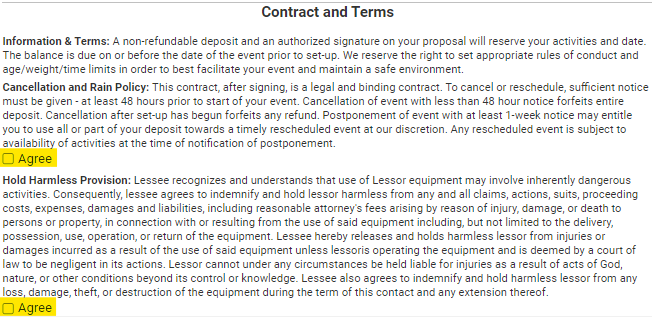
The customer cannot move forward with signing the contract until they have selected the box(es) to agree to the section in which you want customer acknowledgement.