


Activating AI Chat and AI Tools
Use the AI Tools settings to turn on AI Chat capabilities and related AI features in your account. The main AI Agent setting must be enabled before the AI can create filters, reports, or manage supported templates.
How to Activate AI Chat and AI Tools
- Log in to your account.
- Go to Settings.
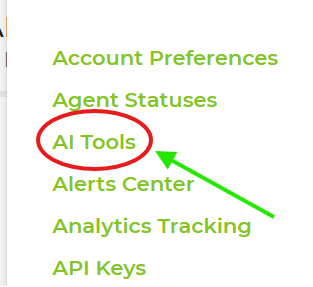
- Open AI Tools.
- Turn on AI Agent. This is the main switch for AI agent actions.
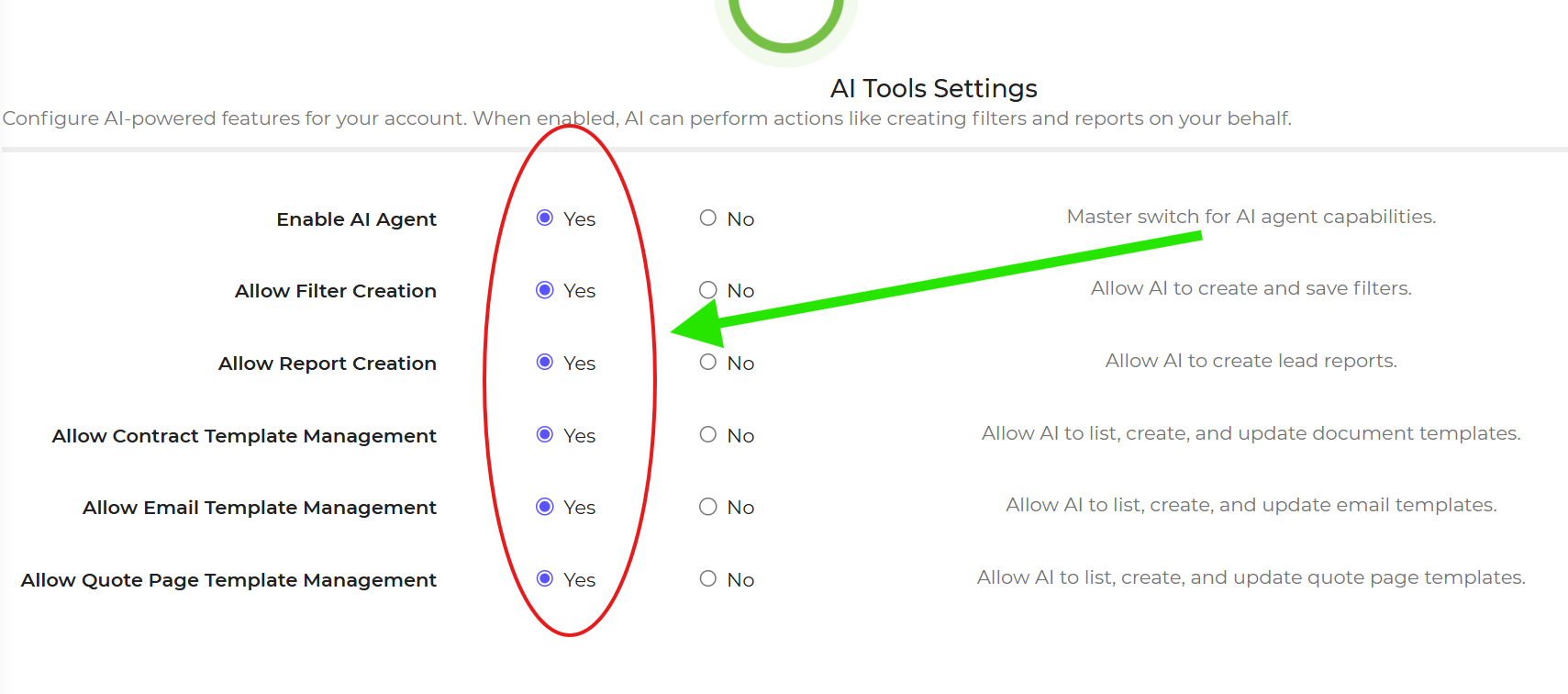
- Enable any additional options you want the AI to use.
- Save your changes.
- Open the Help area in the software to start using AI Chat.
Navigation Path: Logged-In Account → Settings → AI Tools
Important: Turning on AI Agent alone does not enable every AI action. The specific options for filters, reports, and template management must also be turned on if you want the AI to perform those tasks.
Feature Options & Parameters
| Setting | What It Does |
|---|---|
| AI Agent | The main switch that enables AI agent capabilities in your account. |
| Filter Creation | Allows the AI to create and save filters. |
| Report Creation | Allows the AI to build reports. |
| Contract Template Management | Allows the AI to update supported contract templates. |
| Email Template Management | Allows the AI to create or edit email templates. |
| Quote Page Template Management | Allows the AI to manage quote page templates. |
Use Cases
- Enable AI Chat so staff can ask software questions from the Help area.
- Allow the AI to create reports, filters, or template updates without giving access to every AI-managed feature.
Troubleshooting & FAQs
Q: I opened AI Chat, but it cannot create filters or reports.
A: Make sure AI Agent is enabled and that the specific toggle for Filter Creation or Report Creation is also turned on.
Q: The AI can answer questions, but it cannot edit templates.
A: Turn on the matching template permission, such as Contract Template Management, Email Template Management, or Quote Page Template Management.
Q: I do not see the AI Tools page.
A: Confirm that you are logged in and that you have permission to access account settings.
Q: Where do I use AI Chat after it is enabled?
A: Open the Help area in the software by clicking the question mark at the top of the screen.
Q: Do I need to enable every option?
A: No. Turn on AI Agent first, then enable only the features you want the AI to manage.