


How to Recover a Forgotten Username
If you can't remember your InflatableOffice username, you can have it emailed to you from the login page. It works much like Forgot Password.
Important: The username lookup uses the account owner (authorized officer) email address. It does not use your company's general email address. Enter the email of the person listed as the account owner.
Before you Start
- Make sure you can get into the inbox for the account owner email address.
- If you manage more than one account with the same owner email, you'll get all of those usernames in one email.
Step-by-Step Instructions
- Go to the InflatableOffice login page.
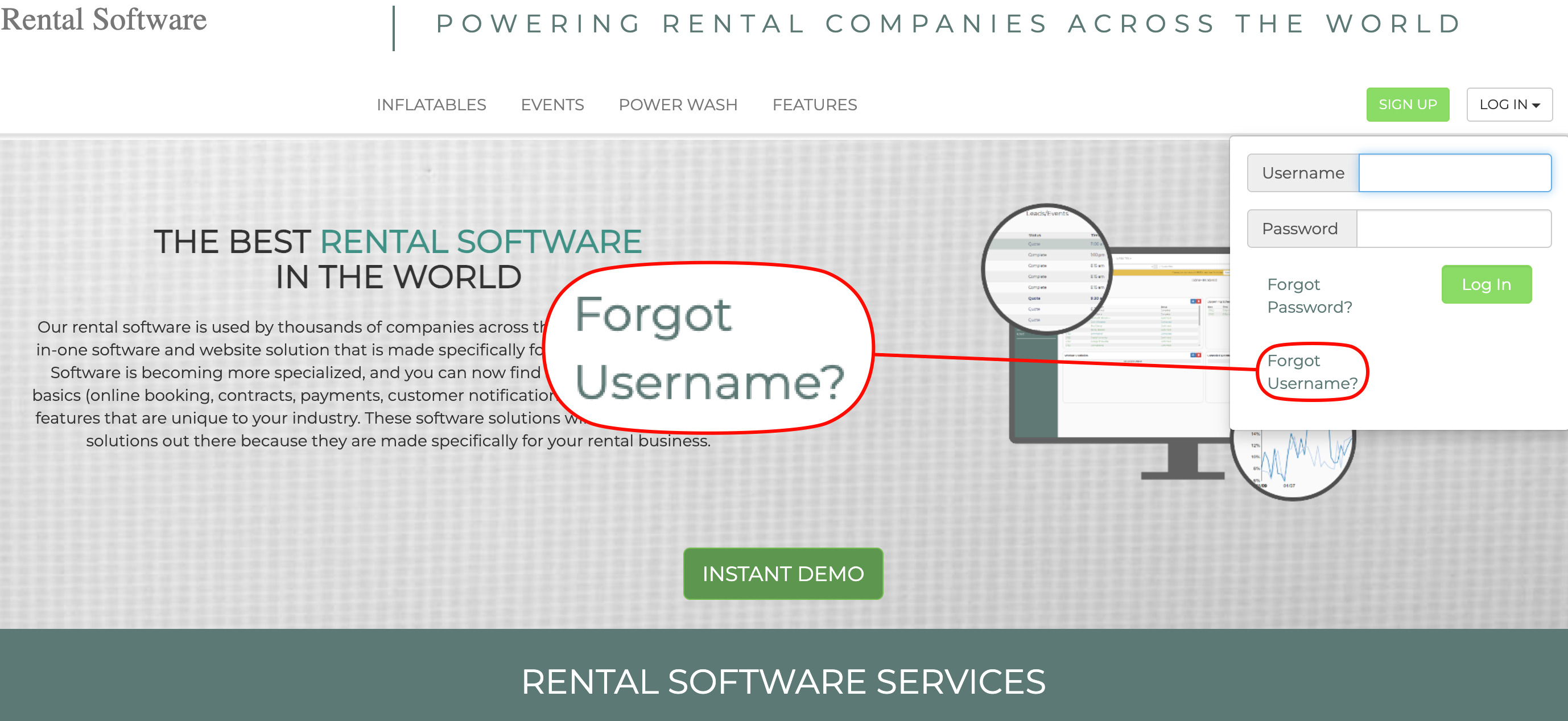
- Click Forgot Username. You'll find this link on the login page and in the login drop-downs.
- Enter the email address you think is on file as the account owner email.

- Select "Send Email"
- You'll see a confirmation message saying that if any accounts match that email, the username(s) have been sent to it.

- Check that inbox for an email with your username(s). Then go back to the login page and sign in.
Didn't get an Email?
For your security, the confirmation message looks the same whether or not a matching account was found. If no email arrives:
- Check your spam or junk folder.
- Try a different email address. You may have entered your company email or a personal email instead of the account owner email on file.
- Wait before trying again. Too many requests in a short time are temporarily blocked to protect accounts.
- Contact Support if you still can't find your username.
Security Notes
- Usernames are only ever sent to the email address on file. They're never shown on screen.
- Username recovery requests are recorded on the account so unusual activity can be spotted.