


Large white spaces in categories
Answered
I guess I moved to the V2 plugin. I'm not a fan of the calendar yet. That said, How can we reduce the white space on my product cards? They're very tall.
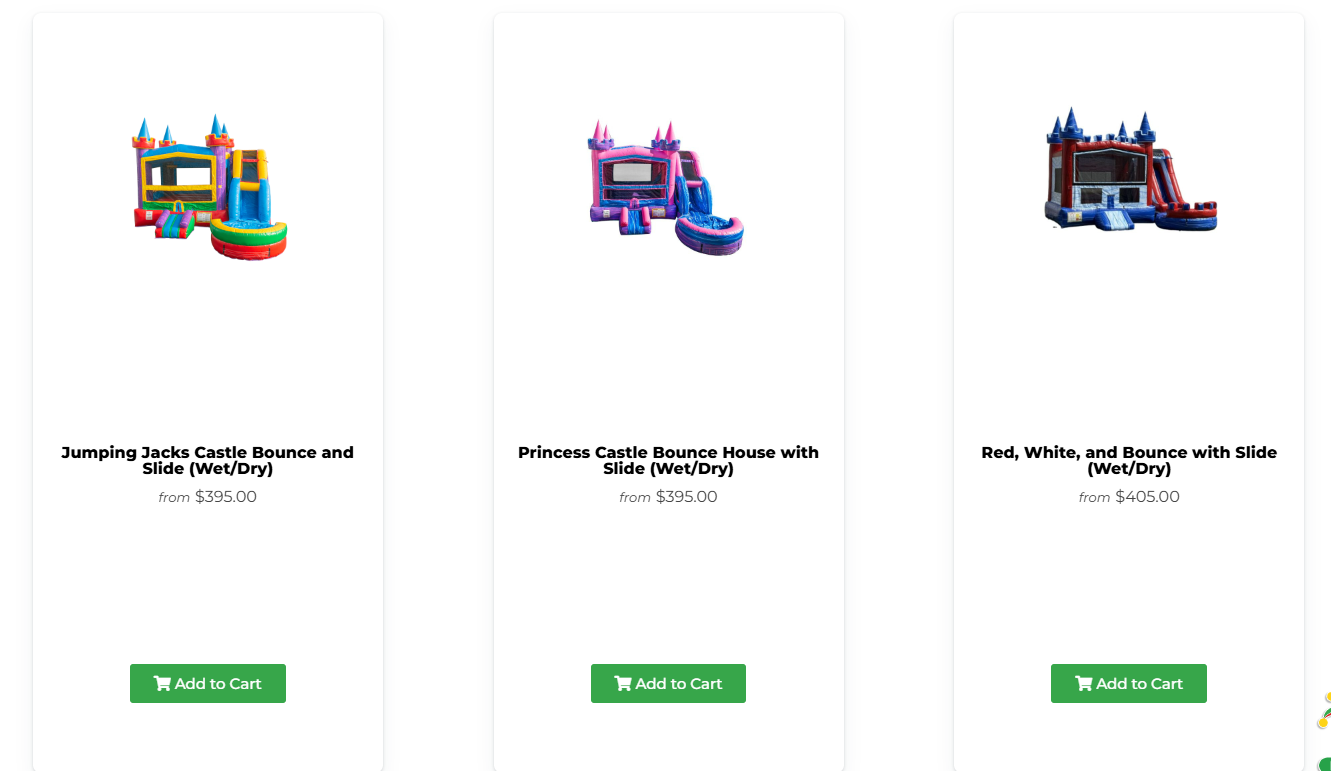
I guess I moved to the V2 plugin. I'm not a fan of the calendar yet. That said, How can we reduce the white space on my product cards? They're very tall.
 The same question
Hello Chad.
See here it is showing better https://www.jumpingjacksevents.com/inventory/new-arrivals/
Just problem I can see here on this page with major gap https://www.jumpingjacksevents.com/inventory/slides/ so its problem of how page is build. I know how to fix it. its not problem of shortcode. if problem of shortcode then it should not show proper on other page https://www.jumpingjacksevents.com/inventory/new-arrivals/
Hello Chad.
See here it is showing better https://www.jumpingjacksevents.com/inventory/new-arrivals/
Just problem I can see here on this page with major gap https://www.jumpingjacksevents.com/inventory/slides/ so its problem of how page is build. I know how to fix it. its not problem of shortcode. if problem of shortcode then it should not show proper on other page https://www.jumpingjacksevents.com/inventory/new-arrivals/
Hi, these category pages are using the Elementor editor. Elementor tends to add additional markup to the structure of the html and it messes up the category page layout. I would recommend resetting them to the WP editor and setting up single page templates to add the additional information you have in them. Here's an article on how to revert it to the old editor and here's an article on how to set up a single page template
For the template, you'll want to copy and paste the custom sections into the template and in between the sections you'll add a Post Content widget. That will display everything in the page set in Display Conditions without altering the html.
Hi, these category pages are using the Elementor editor. Elementor tends to add additional markup to the structure of the html and it messes up the category page layout. I would recommend resetting them to the WP editor and setting up single page templates to add the additional information you have in them. Here's an article on how to revert it to the old editor and here's an article on how to set up a single page template
For the template, you'll want to copy and paste the custom sections into the template and in between the sections you'll add a Post Content widget. That will display everything in the page set in Display Conditions without altering the html.
Hey Chad.
I can see you added into text widget of elementor so its adding extra paragraph tag which messing structure of HTML. you can fix it by simply add shortcode inside shortcode widget of elementor instead of text widget. you will not need to create single page template in elementor that way if you don't want to use same design in all pages.
if you want single page template to use it repeating design then it will help otherwise simply shortcode widget adding will fix it I think.
please let me know if through shortcode elementor widget it works for you? otherwise I'm here to help you.
Hey Chad.
I can see you added into text widget of elementor so its adding extra paragraph tag which messing structure of HTML. you can fix it by simply add shortcode inside shortcode widget of elementor instead of text widget. you will not need to create single page template in elementor that way if you don't want to use same design in all pages.
if you want single page template to use it repeating design then it will help otherwise simply shortcode widget adding will fix it I think.
please let me know if through shortcode elementor widget it works for you? otherwise I'm here to help you.
Replies have been locked on this page!