


This object is in archive!

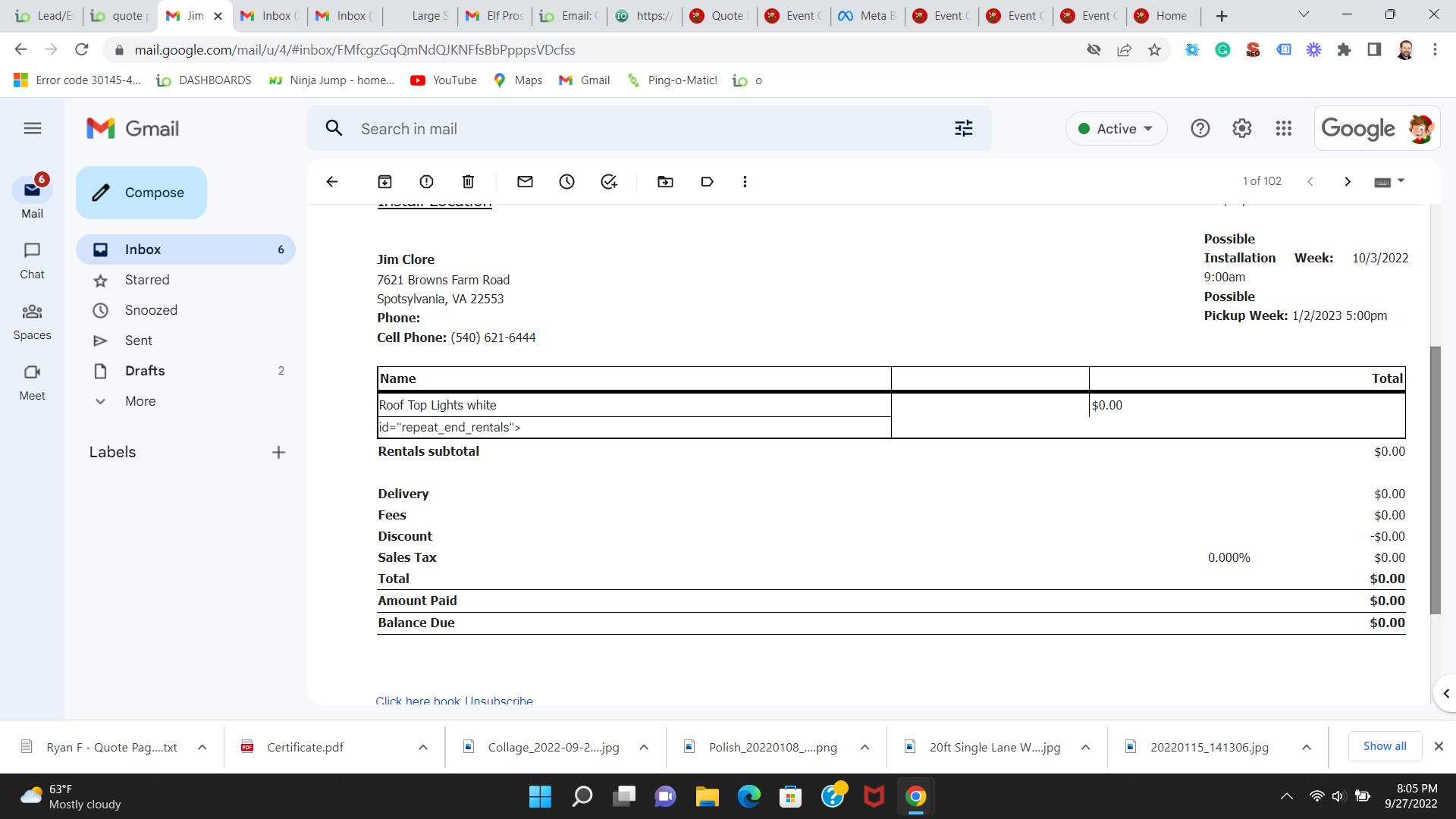
remove variable from invoice
Awaiting Reply
how do I remove this variable in my invoice?
id="repeat_end_rentals">
also, is there a logo variable for templates?
Files:
Screenshot (46).png
 The same question
You can't vote. Please authorize!
You can't vote. Please authorize!
Where is this happening? On the invoice email or the regular invoice?
No, you would have to put the logo directly on the template
Where is this happening? On the invoice email or the regular invoice?
No, you would have to put the logo directly on the template
You don't want to remove that variable. But it looks like you should highlight it, enter code view, and add "<" before it so that it works properly. I'd need a screenshot of the code to be able to tell you exactly. If you don't fix it, you wont be able to list items.
You don't want to remove that variable. But it looks like you should highlight it, enter code view, and add "<" before it so that it works properly. I'd need a screenshot of the code to be able to tell you exactly. If you don't fix it, you wont be able to list items.
Replies have been locked on this page!