Sending a training to employees

isabelle A. shared this question 3 years ago
Answered

Hello

I am trying to build a training to send to employees.

I build the training and found the ID looking at Gabrilelle's Video

Send this link to myself to test: https://www.inflatableoffice.com/survey/survey_display.php?surveyID=2887

When i click on the link, it says:
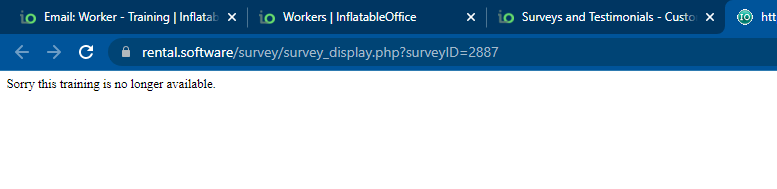
48ea2aad0794dc41cf446f169da87a33


Name of the survey is : 1a22464035e2ac20e60efe9e3eb6ee48


What am i doing wrong ?


Thank you

Comments (2)

photo
1

Can you open the worker, right click the training module, copy the url and use that?


I'm not sure. I usually assign them the training then they log in to the website and do the training from there.

photo
1

Great! it works this way

Do you think it also works if i send this to a cusotmer manually ? Will a see that he went throught all the questions ?

photo
1

I'm not sure, I don't use the customer training.

photo
1

It won't show a date completed until the go through each question and answer correctly. There's not a way to send a link...you will need to make it a required training and they click on the training in the worker's site

photo
1

Susan,

one thing i am trying do to is to send customer important information when they do a takeout. So i created a ''training'' with 2 questions; the first list all the important info and the second is a single choice saying: i understand and agree.... .

For now, i want to send it manually to the lead of my choice, how do i do that ? And how do i see that the customer read it and answered it ?

When this works fine, i will create an automation.


second thing is to create a training for my employee. I understand that they have to go by the woker's site.

photo
1

You cannot send a customer "training". You would have to set it up as a survey. Then let us know and we can create a url for it and you can create a email template and place the url in the email. The results will show in the "surveys" section of the lead.

photo
1

Ok, and can i create as many customer ''survey'' as we need ? and then with the automation, send an email with the needed link to customer ?

Please can you create a link for this one below

And, do i need to create the same survey for both location and will i need 2 link ?

8a20adb42272f1bf515b52c4e1062f1a

photo
1

Yes, you would need one for each location

photo
1

Hello Susan

the survey is made for both location. Can you create the URL please ?

8df8f33fc9cd32eaf6bcc4c14d6f88ca

photo
1

Which email templates are you using to send the survey?

photo
1

Hello Susan, just tried with a quebec lead and the quebec link and there is an error sending:

0256b456e6e2230f5e6f3228fbc482ec

photo
1

I think you will have to send from a "test lead" from the Email Center? Because it will pull info from a test lead as well. These links have to pull info from a lead to be "live" so they have to be sent this way

photo
1

will try that later and let you know.

photo
Leave a Comment
 
Attach a file
You can't vote. Please authorize!
