


Delivery Planner - Ad Address Block Errors
Pending
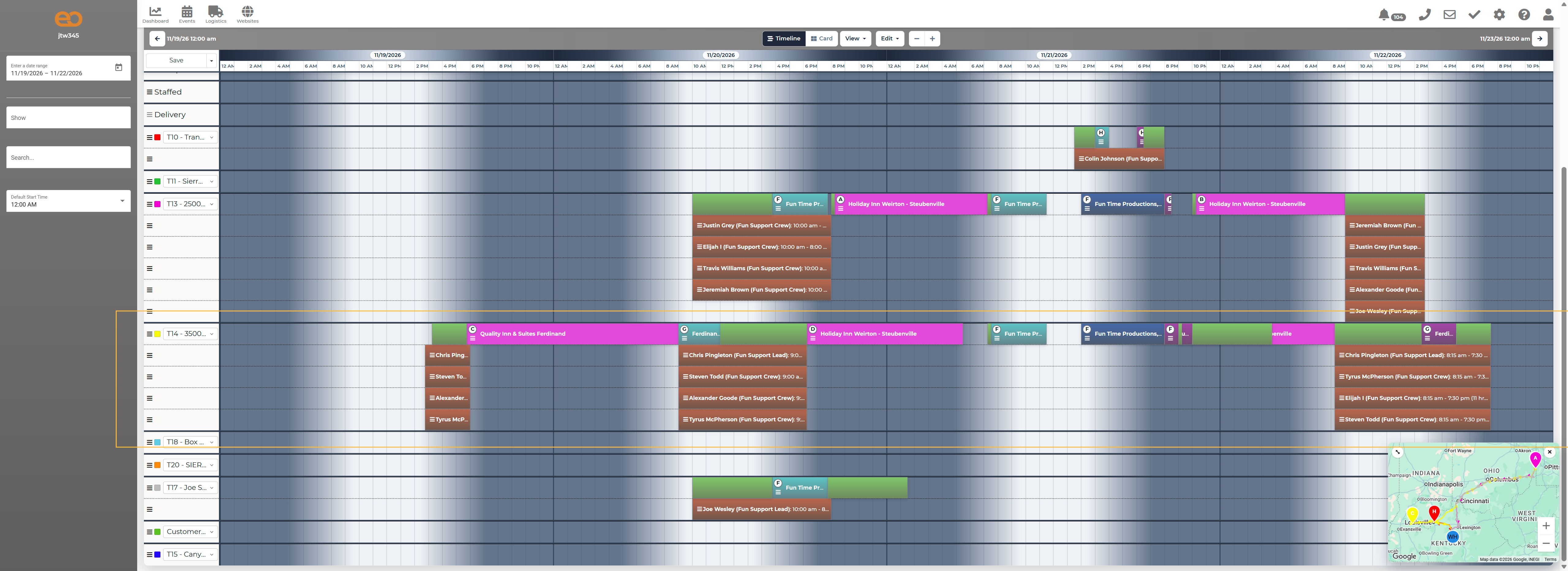
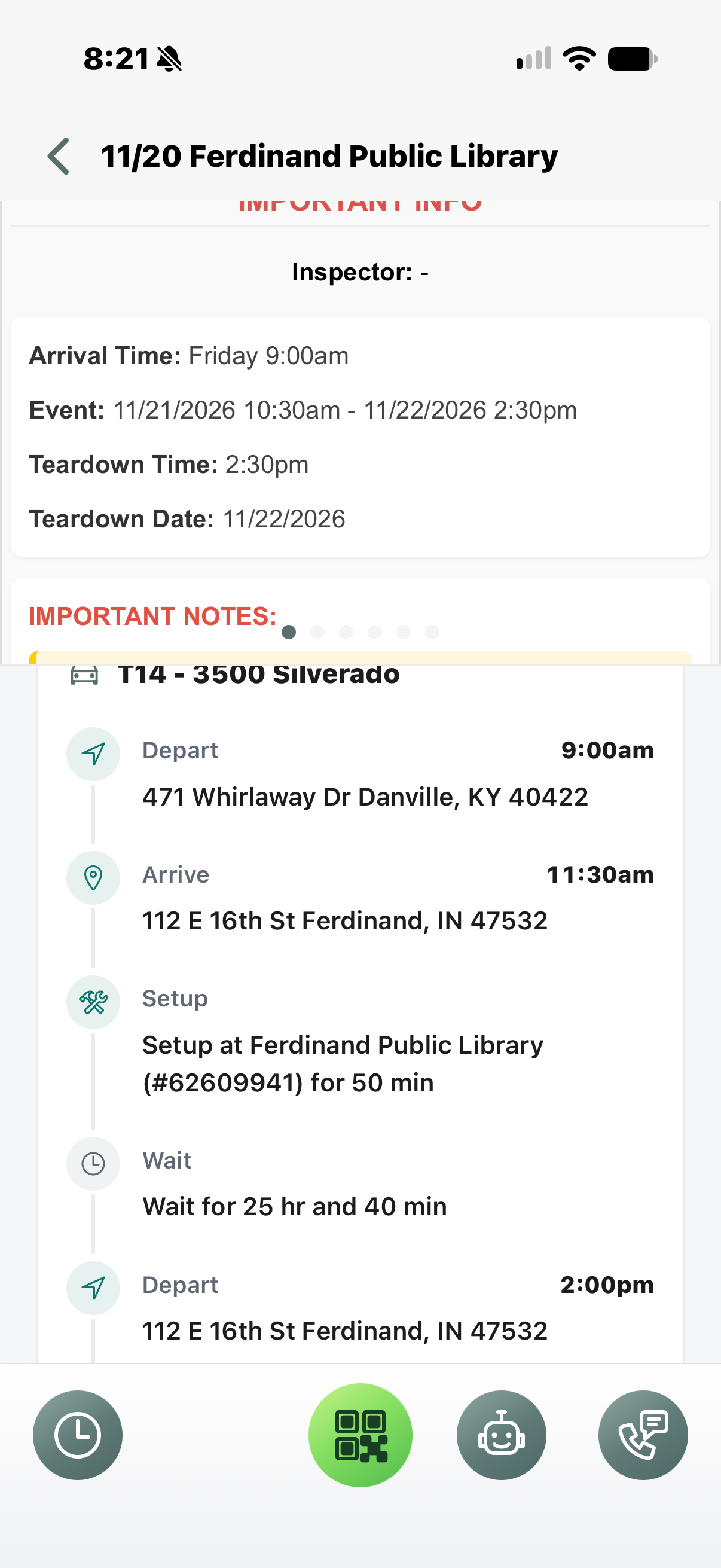
When adding custom address Blocks in the new Delivery Planner, the information is not being properly displayed in the App Itinerary Section and is changing times based on warehouse location not actual instructions.
Please look at
Vehicle: T14- 3500
Dates: 11/19/26 - 11/22/26
IMG_2263 shows Depart Warehouse at 9 am, which should be departing Quality In and Suites. This is then changing our arrival times to Ferdinand, From 9 am to 11:30am based on driving time from our warehouse.
 The same problem
Access denied
Hi,
We reviewed the saved schedule for vehicle T14 - 3500 for November 19–22. The custom-address stop is currently saved through 9:00 AM Eastern on November 20, and the Ferdinand setup is also scheduled to begin at 9:00 AM. The Ferdinand schedule retains 2.5 hours of outbound travel, which could explain an itinerary arrival time of 11:30 AM.
However, we could not verify the screenshots or confirm whether the app is using the custom address, warehouse location, or a different departure point when calculating the itinerary. We also have not confirmed that the saved arrival time changed from 9:00 AM.
Please confirm which app version and timezone are shown on the affected device, and whether the issue remains after refreshing the latest saved routes and opening the T14 itinerary again. If it does, please resend the screenshots or provide a screenshot showing the departure label, address, and displayed timezone so we can trace the calculation.
Hi,
We reviewed the saved schedule for vehicle T14 - 3500 for November 19–22. The custom-address stop is currently saved through 9:00 AM Eastern on November 20, and the Ferdinand setup is also scheduled to begin at 9:00 AM. The Ferdinand schedule retains 2.5 hours of outbound travel, which could explain an itinerary arrival time of 11:30 AM.
However, we could not verify the screenshots or confirm whether the app is using the custom address, warehouse location, or a different departure point when calculating the itinerary. We also have not confirmed that the saved arrival time changed from 9:00 AM.
Please confirm which app version and timezone are shown on the affected device, and whether the issue remains after refreshing the latest saved routes and opening the T14 itinerary again. If it does, please resend the screenshots or provide a screenshot showing the departure label, address, and displayed timezone so we can trace the calculation.
Replies have been locked on this page!