


Banners/ photos not showing up
Answered
Hi, a few customers reached out that my photos on the banners are not showing up during checkout. it was always working before and I haven't touched anything.
They come up when you add a bounce house to the cart. attached example
Files:
Screenshot 2026...
 The same question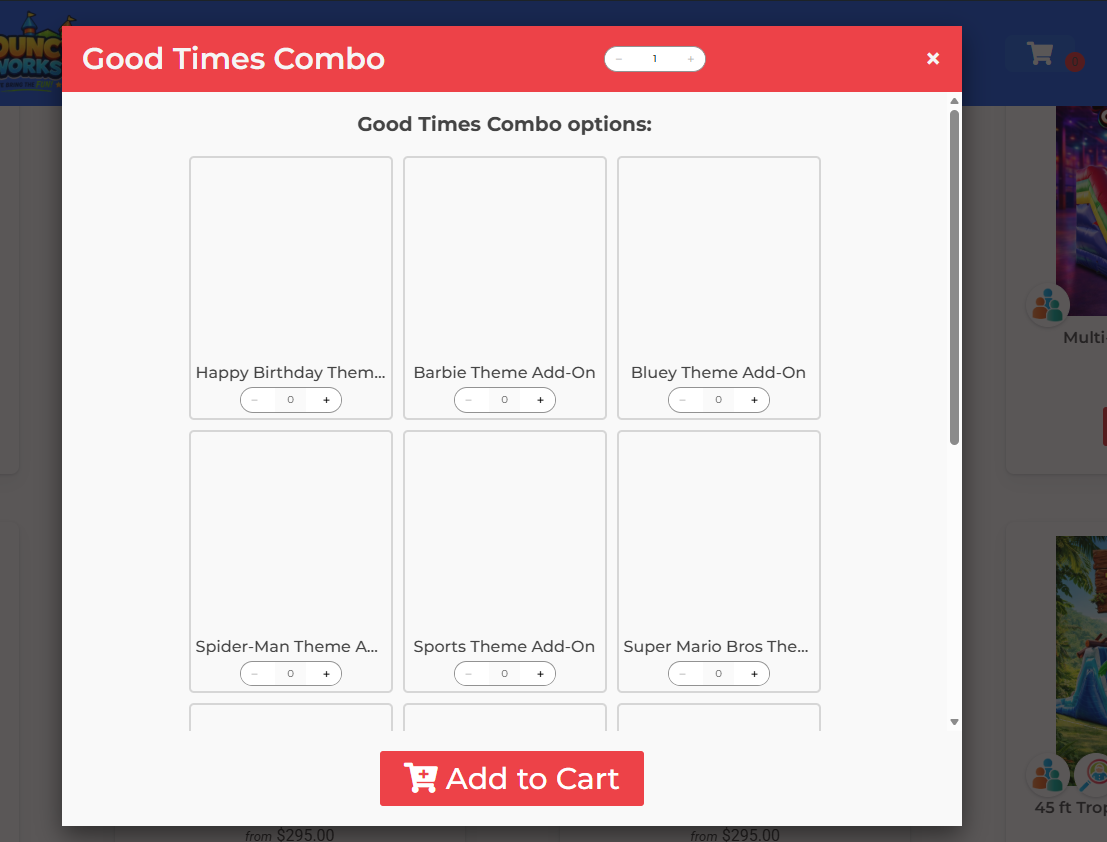
I'm running a sync on your site I will let you know if this helps,
I'm running a sync on your site I will let you know if this helps,
I have this fixed for you!
I have this fixed for you!
I checked your other combos and they were doing the same thing, it's because you checked the link quantity for the banners you don't have to do that there's nothing to link. I have removed that from all your combos and I am running another sync on your site, this should be fixed soon.
I checked your other combos and they were doing the same thing, it's because you checked the link quantity for the banners you don't have to do that there's nothing to link. I have removed that from all your combos and I am running another sync on your site, this should be fixed soon.
Here is what you would use that for.
Link Accessory Quantity to the Main UnitIf you want the Accessory quantity to always be the same as the main unit, then use this feature. A common example of this might be linking the quantity of "chair cover" Accessories to the number of "Chair" Rentals. These quantities update regardless of whether you are using a drop down, text box, or hidden input.
Here is what you would use that for.
Link Accessory Quantity to the Main UnitIf you want the Accessory quantity to always be the same as the main unit, then use this feature. A common example of this might be linking the quantity of "chair cover" Accessories to the number of "Chair" Rentals. These quantities update regardless of whether you are using a drop down, text box, or hidden input.
Replies have been locked on this page!