


Issue with Schema Text & Image Visibility on Category Page
Answered
Hi Support Team,
We are currently facing an issue on the Warwick site category page:
https://monsterballwarwick.com.au/inventory/water-slides/
On this page, we are observing the following problems:
- Schema text is appearing visibly on the front-end instead of being properly embedded in the page source.
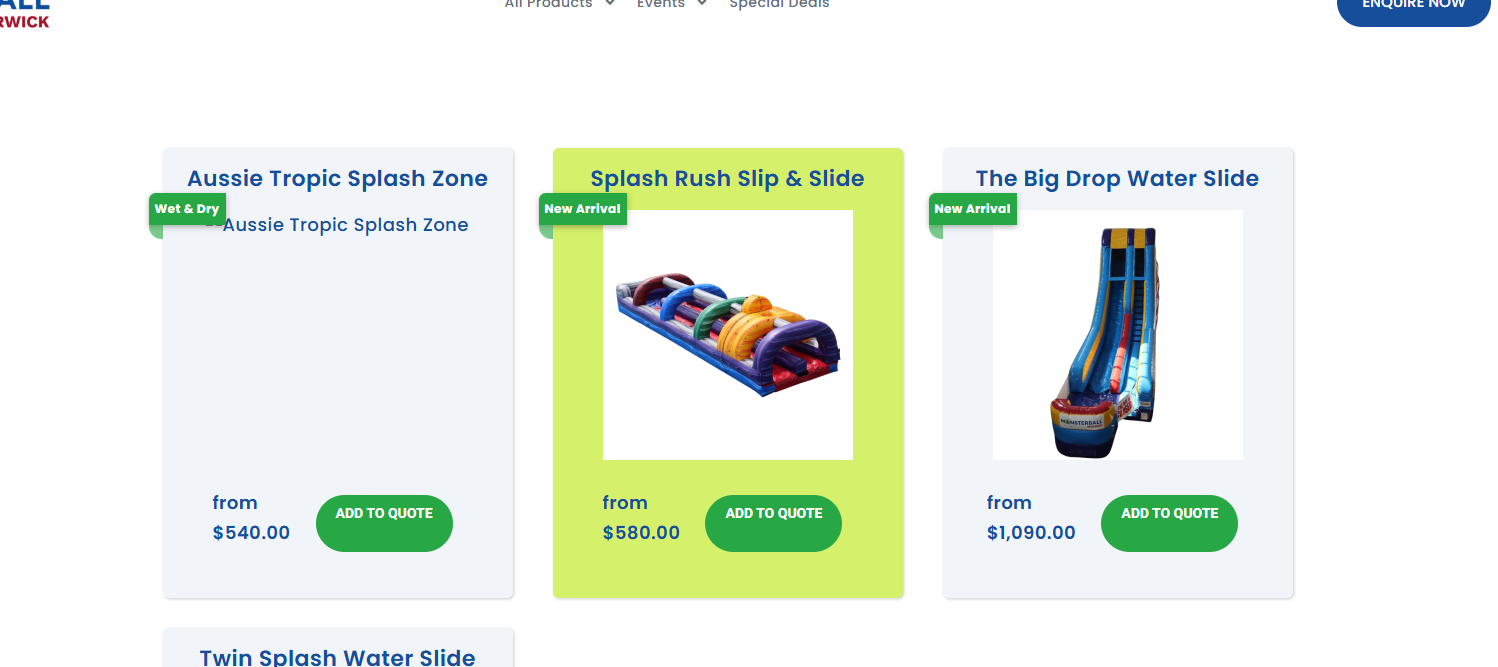
- Some product images are not displaying correctly.
We have attached screenshots for your reference.
Could you please review this and let us know the root cause of the issue? Also, kindly advise on the necessary steps to resolve it.
Looking forward to your response.
 The same question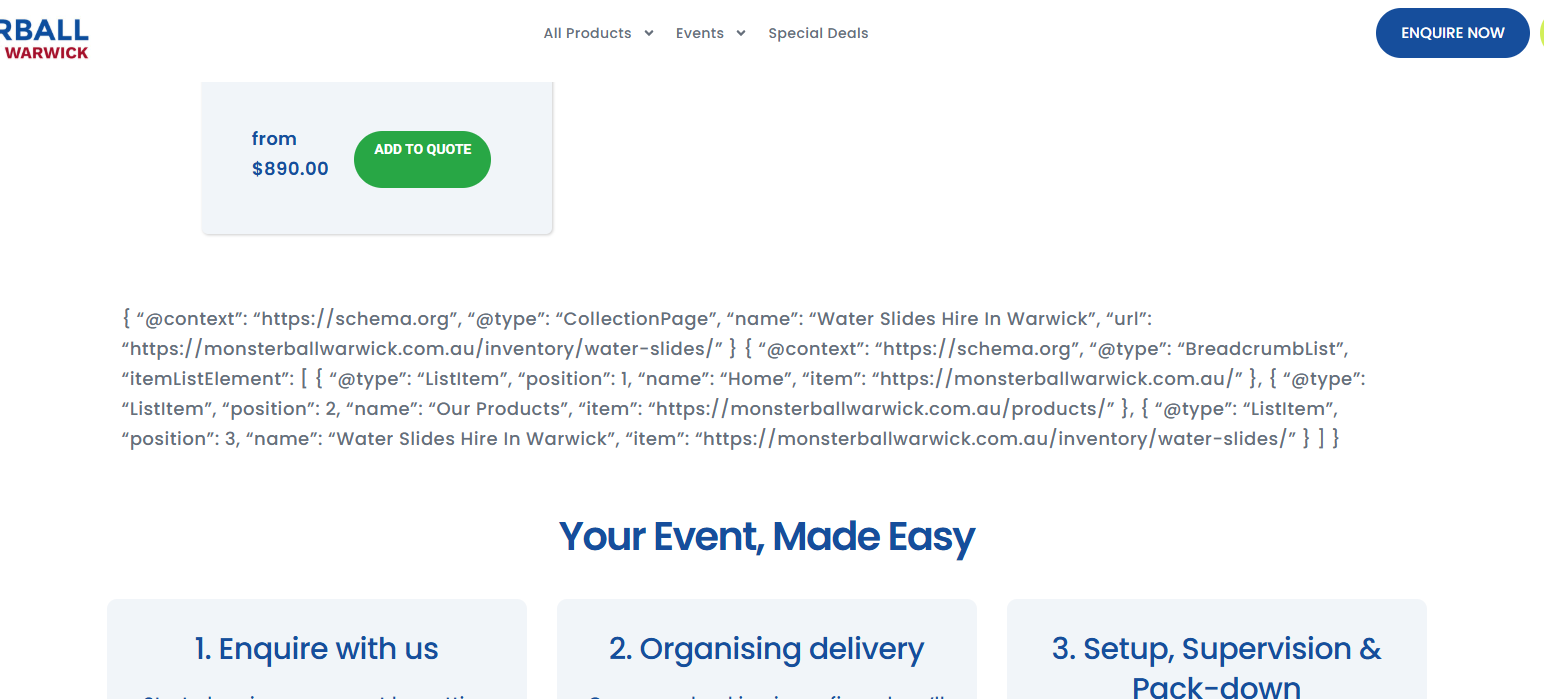
We have our developers looking into this further and will advise when we have an update.
Thanks!
We have our developers looking into this further and will advise when we have an update.
Thanks!
It looks like this code was added to the page content. It's been removed. For the images, you'd have to rename the image files to something simpler and reupload them to the affected items.
It looks like this code was added to the page content. It's been removed. For the images, you'd have to rename the image files to something simpler and reupload them to the affected items.
Thank you for removing the schema code from the page.
As suggested, we have renamed the image files to simpler names and reuploaded them. We also tested this by uploading images for one specific product, and have attached a screenshot for reference.
However, the issue is still persisting — images are not displaying for some marked products.
We’ve verified from our end:
Images are properly renamed and reuploaded
Assigned correctly to the products
Tested with a fresh upload for one product (attached screenshot)
https://monsterballwarwick.com.au/inventory/water-slides/
Thank you for removing the schema code from the page.
As suggested, we have renamed the image files to simpler names and reuploaded them. We also tested this by uploading images for one specific product, and have attached a screenshot for reference.
However, the issue is still persisting — images are not displaying for some marked products.
We’ve verified from our end:
Images are properly renamed and reuploaded
Assigned correctly to the products
Tested with a fresh upload for one product (attached screenshot)
https://monsterballwarwick.com.au/inventory/water-slides/
Hi, it looks like something in the website is blocking the sync from going through. You'd have to contact your developer to look into this as it is an external issue.
Hi, it looks like something in the website is blocking the sync from going through. You'd have to contact your developer to look into this as it is an external issue.
Just following up on the below issue regarding the Warwick site:
https://monsterballwarwick.com.au/inventory/water-slides/
As mentioned earlier, some product images are still not displaying correctly, even after renaming and reuploading them. We’ve also tested with a fresh upload for a specific product, but the issue persists.
Could you please review this again and share any updates or next steps from your end?
Looking forward to your response.
Just following up on the below issue regarding the Warwick site:
https://monsterballwarwick.com.au/inventory/water-slides/
As mentioned earlier, some product images are still not displaying correctly, even after renaming and reuploading them. We’ve also tested with a fresh upload for a specific product, but the issue persists.
Could you please review this again and share any updates or next steps from your end?
Looking forward to your response.
We have thoroughly checked the website from our end, and everything appears to be working correctly. We did not find anything that could be blocking the sync process.
Since the issue is still occurring, could you please provide more specific details on what might be causing the sync to fail, or any logs/errors from your side that we can review?
We have thoroughly checked the website from our end, and everything appears to be working correctly. We did not find anything that could be blocking the sync process.
Since the issue is still occurring, could you please provide more specific details on what might be causing the sync to fail, or any logs/errors from your side that we can review?
We have checked from our end and confirmed that no IPs were actively blocked in Wordfence.
However, we have now updated the firewall configuration and ensured that the provided IP addresses are not restricted. We also re-tested the sync from our side.
At the moment, the sync is still not reflecting correctly. Could you please recheck from your end and let us know if any further action is required?
Looking forward to your update.
We have checked from our end and confirmed that no IPs were actively blocked in Wordfence.
However, we have now updated the firewall configuration and ensured that the provided IP addresses are not restricted. We also re-tested the sync from our side.
At the moment, the sync is still not reflecting correctly. Could you please recheck from your end and let us know if any further action is required?
Looking forward to your update.
Replies have been locked on this page!