


How do I get the blackout message to show BEFORE the customer fills out all their info?
Answered
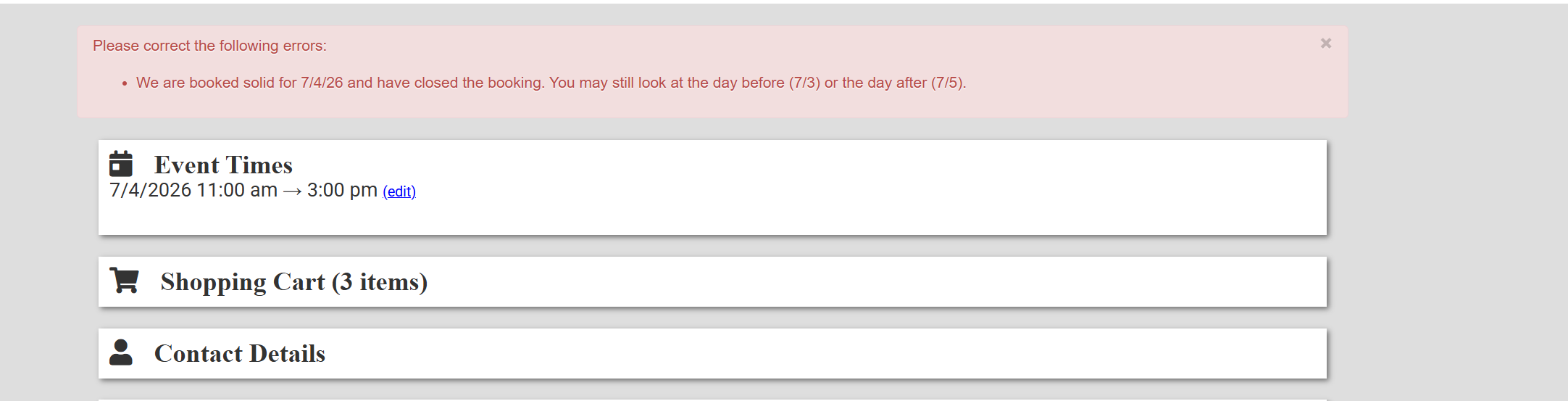
I have a blackout date set for 7/4 at 12 am to 7/5 at 12 am in the system. I even put a message on the home page that we are no longer taking reservations for the 4th but that they can request for the 3rd and the 5th. BUT the system lets them go through ALL the checkout questions before it reminds them we are not taking further reservations. They do not see the below message until wasting time filling everything out. It would be nice if they would see this message as soon as they try to choose 7/4 on the calendar.
 The same question
I don't think you can. IO is designed to help you capture lead information. If you're putting all that info everywhere and they still want to give you their info, let them. Then send emails to them for future years. You could even create automated campaigns where, once they get this far, tell them to go ahead and book for next year and presell.
I don't think you can. IO is designed to help you capture lead information. If you're putting all that info everywhere and they still want to give you their info, let them. Then send emails to them for future years. You could even create automated campaigns where, once they get this far, tell them to go ahead and book for next year and presell.
Chad is correct!
Chad is correct!
Replies have been locked on this page!