


Packing List is Printing Duplicate Jobs
Solved
When I print the packing list from the new delivery planner, it's printing multiple duplicates of the jobs on that route.
I've looked into the code in the document center and haven't found any loop issues.
 The same problem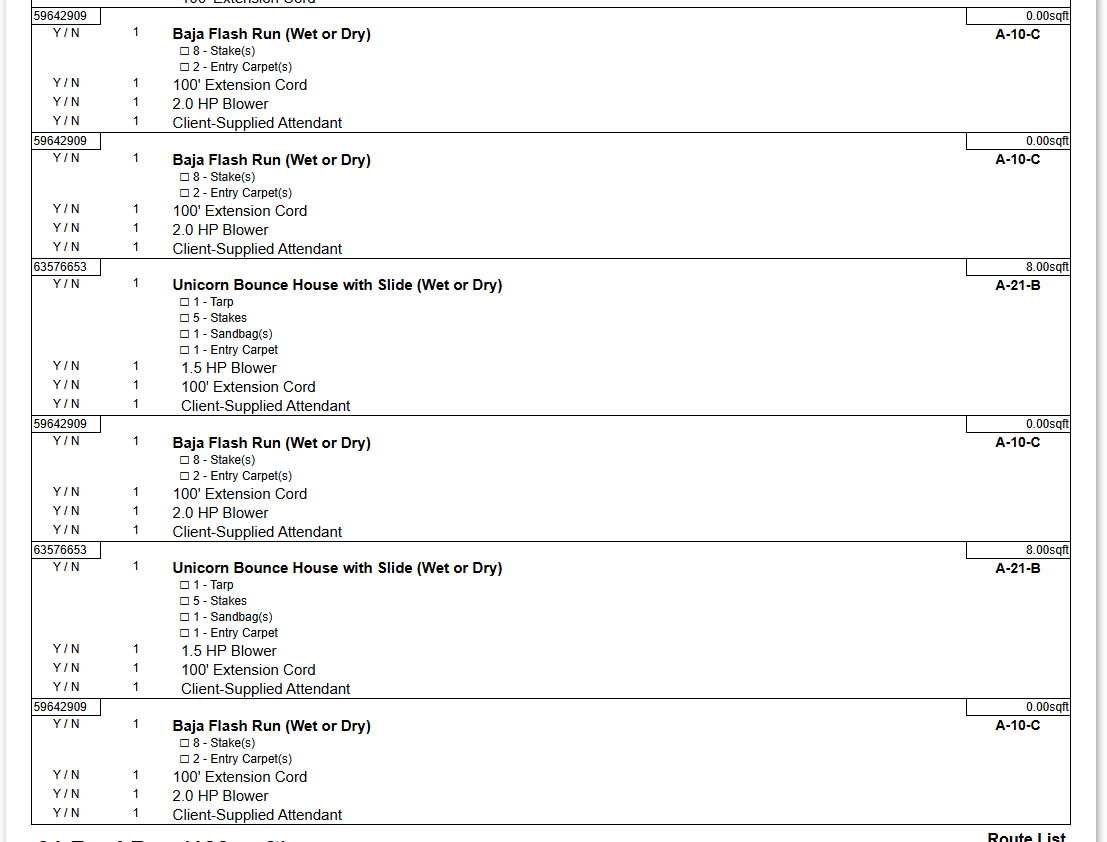
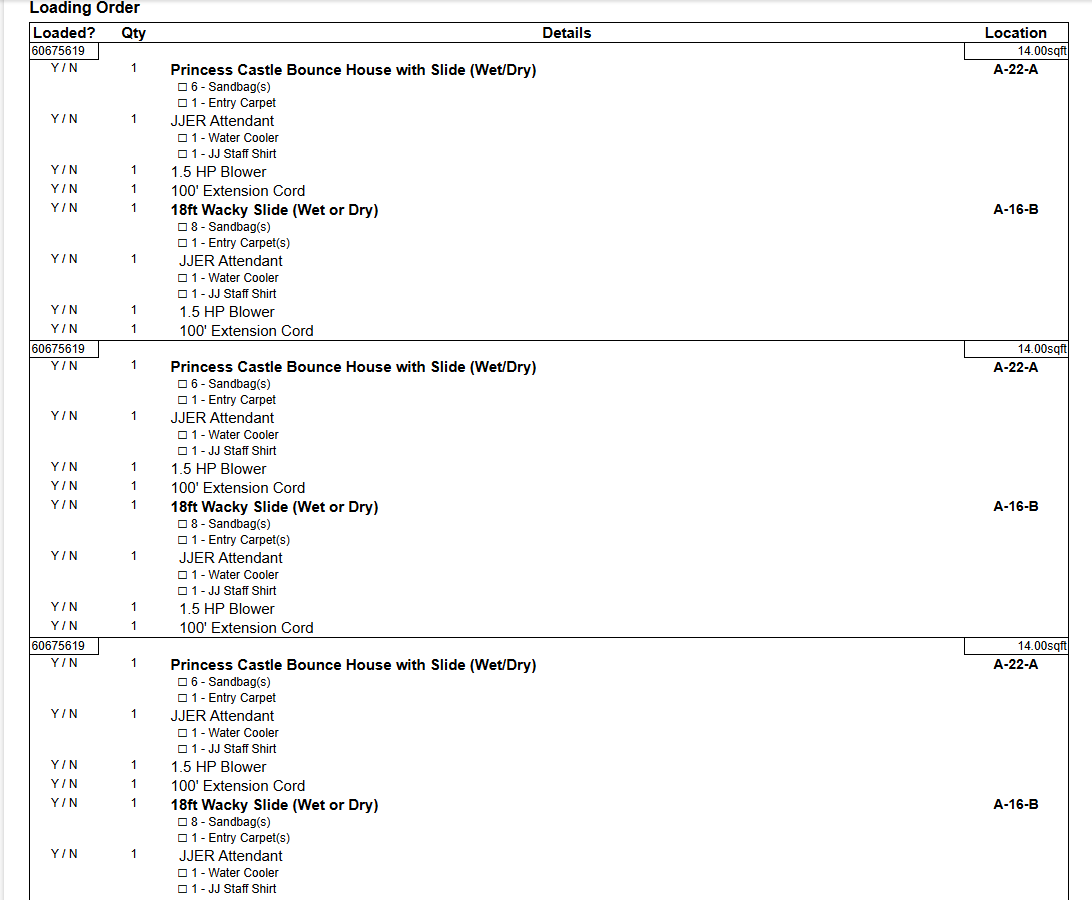
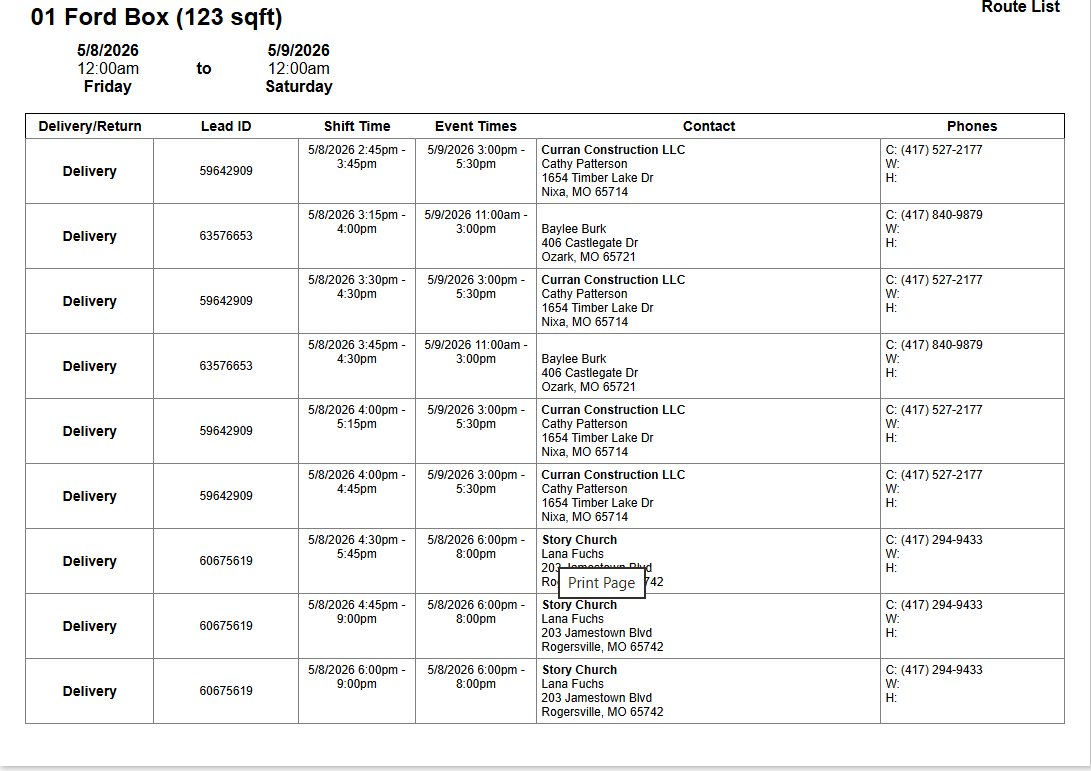
We have our developers looking into this further and will advise when we have an update.
Thanks!
We have our developers looking into this further and will advise when we have an update.
Thanks!
This has been fixed:
Summary
We found that the packing list duplicates were not caused by the customer’s packing-list template or a loop in Document Center.
The duplicates came from old vehicle shift records that were still saved on the route after a Delivery Planner edit. The planner itself was showing the correct current route, and the underlying planner blocks had the correct times. However, the packing list pulls from the saved vehicle shift rows, so when an old vehicle shift row was left behind, the same job could print more than once.
For the reported example, lead 60471177, the current planner blocks correctly showed:
5/22/2026 12:00pm - 12:30pm 5/25/2026 11:00am - 11:45am
But older vehicle shift rows still existed for:
5/22/2026 12:00pm - 12:45pm 5/25/2026 11:00am - 12:30pm
Those stale rows caused the duplicated packing-list entries.
We cleaned up the stale vehicle shift rows for the affected future routes we could identify with high confidence. This should stop those duplicate jobs from printing on the vehicle packing list.
This has been fixed:
Summary
We found that the packing list duplicates were not caused by the customer’s packing-list template or a loop in Document Center.
The duplicates came from old vehicle shift records that were still saved on the route after a Delivery Planner edit. The planner itself was showing the correct current route, and the underlying planner blocks had the correct times. However, the packing list pulls from the saved vehicle shift rows, so when an old vehicle shift row was left behind, the same job could print more than once.
For the reported example, lead 60471177, the current planner blocks correctly showed:
5/22/2026 12:00pm - 12:30pm 5/25/2026 11:00am - 11:45am
But older vehicle shift rows still existed for:
5/22/2026 12:00pm - 12:45pm 5/25/2026 11:00am - 12:30pm
Those stale rows caused the duplicated packing-list entries.
We cleaned up the stale vehicle shift rows for the affected future routes we could identify with high confidence. This should stop those duplicate jobs from printing on the vehicle packing list.
Good news — the issue you reported has been resolved and the fix is now live in your account. Please let us know if you have any questions.
Good news — the issue you reported has been resolved and the fix is now live in your account. Please let us know if you have any questions.
Replies have been locked on this page!