Email Issue

Robert E. shared this question 19 days ago
Answered

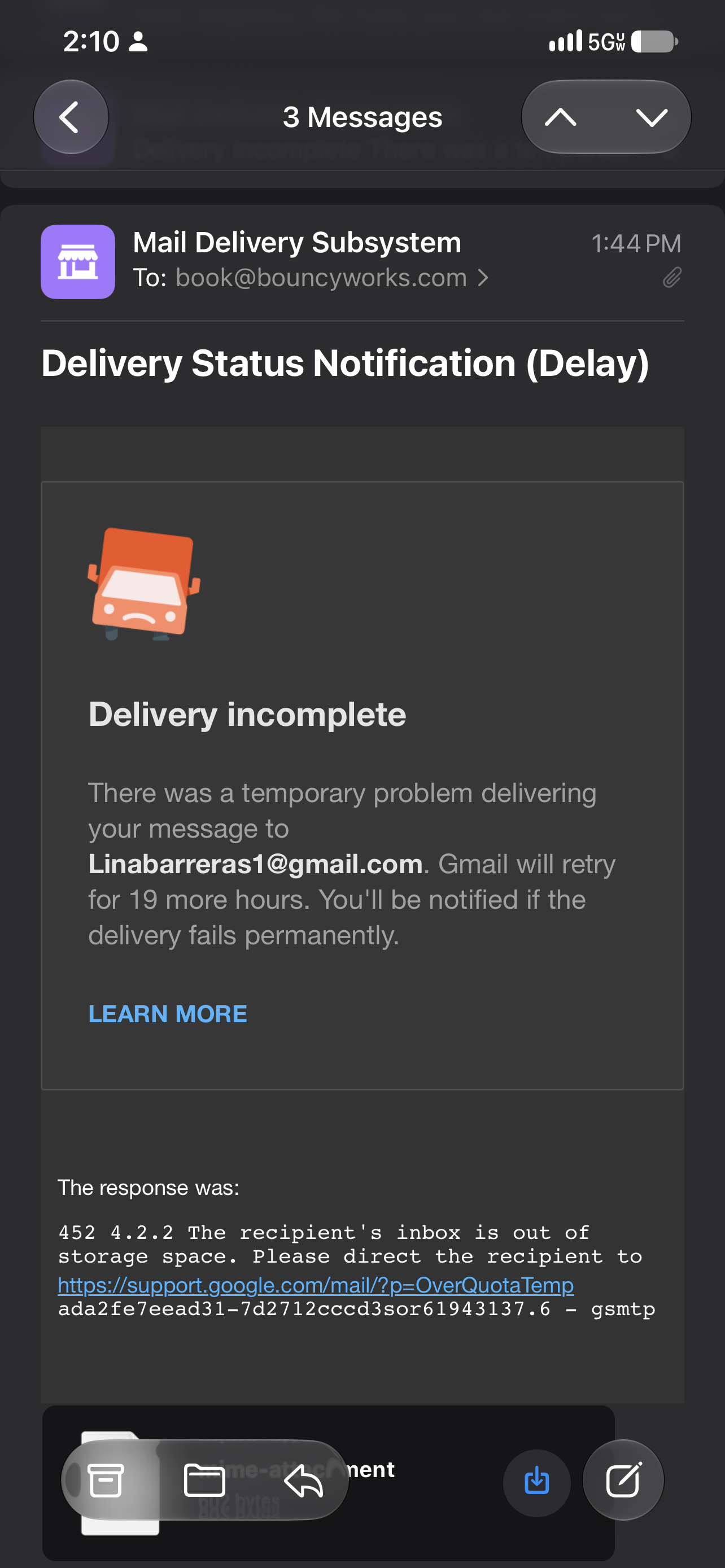
I’ve been getting a lot of these emails the last few days. Please help

Comments (1)

photo
1

look like you are out of storage space

photo
2

sorry

photo
1

Really?? Thanks. but how do I fix that? Where do we add more space.

photo
1

Looks like the recipient is out of space:

3ac2234a6690f2bf86168b8e51992ffd

photo
1

But i had like 10 in one day. is that normal? this is the first time its ever happend. and then a few the next day

photo
1

If you have sent a large batch of emails this isn't uncommon. If not, here's some things you can do to investigate


1. You emailed one specific person, and your email is retrying (Most Likely)


If you recently sent one single email to someone, your email provider will continuously try to deliver it for a few days if it encounters a "soft bounce" (like a full inbox). [1, 2]


  • Why you got 10: Some email servers will send you an update every few hours saying, "Delivery incomplete... we are still trying to send this, but the person's inbox is out of storage". [1, 2]
  • What to do: Check the recipient's address in the bounce email. If it's a friend or colleague you actually messaged, they simply ran out of space and need to clear their inbox before your email will go through. [1, 2]


2. "Backscatter" or Email Spoofing (If you didn't send anything)


If you look at the notifications and they say you tried to email people you have never heard of, a spammer is likely "spoofing" your email address. [1, 2]


  • Why you got 10: Spammers send out thousands of emails using fake sender addresses. They happened to use your address as the fake "From" line. When 10 of those spam emails hit full inboxes, the receiving servers sent the "mailbox full" errors back to you instead of the spammer. [1, 2]
  • What to do: You can safely ignore and delete these. It doesn't mean you were hacked; it just means a spammer typed your name in the return address. [1]


3. A Phishing Scam (If the emails are about YOUR inbox)


Read the wording carefully. If the email says "Your delivery is incomplete because your inbox is out of space, click here to add storage," this is a common phishing scam. [1]


  • Why you got 10: Scammers flood inboxes with these to create panic, hoping you'll click a link and type in your password.
  • What to do: Look at the actual sender's address (not just the display name). If it looks like a strange, random address, mark it as spam immediately. [1]


To help narrow this down, did you recently send an email to someone, or did these just appear out of nowhere? Also, are the emails addressed to people you know?

photo
2

This happens to us a lot. We generally use them to clean our email list. so if we get one, it's added to our list to unsubscribe them so we don't keep getting it and then marked as spam for bounced emails. While them having low storage will do that. It is possible that they gave you a bogus email (I have one) and they never check it. If that's the case, why worry about sending it there.

photo
Leave a Comment
 
Attach a file