Printable PO

Jenn J. shared this question 20 days ago
Answered

we have a purchase order set up in documents to be printable from a report -- but the margins are incorrect to print on standard paper-- I tried last night to work with the chat -- but couldnt get it to work-- below is what shows up-- I need the pricing to show up
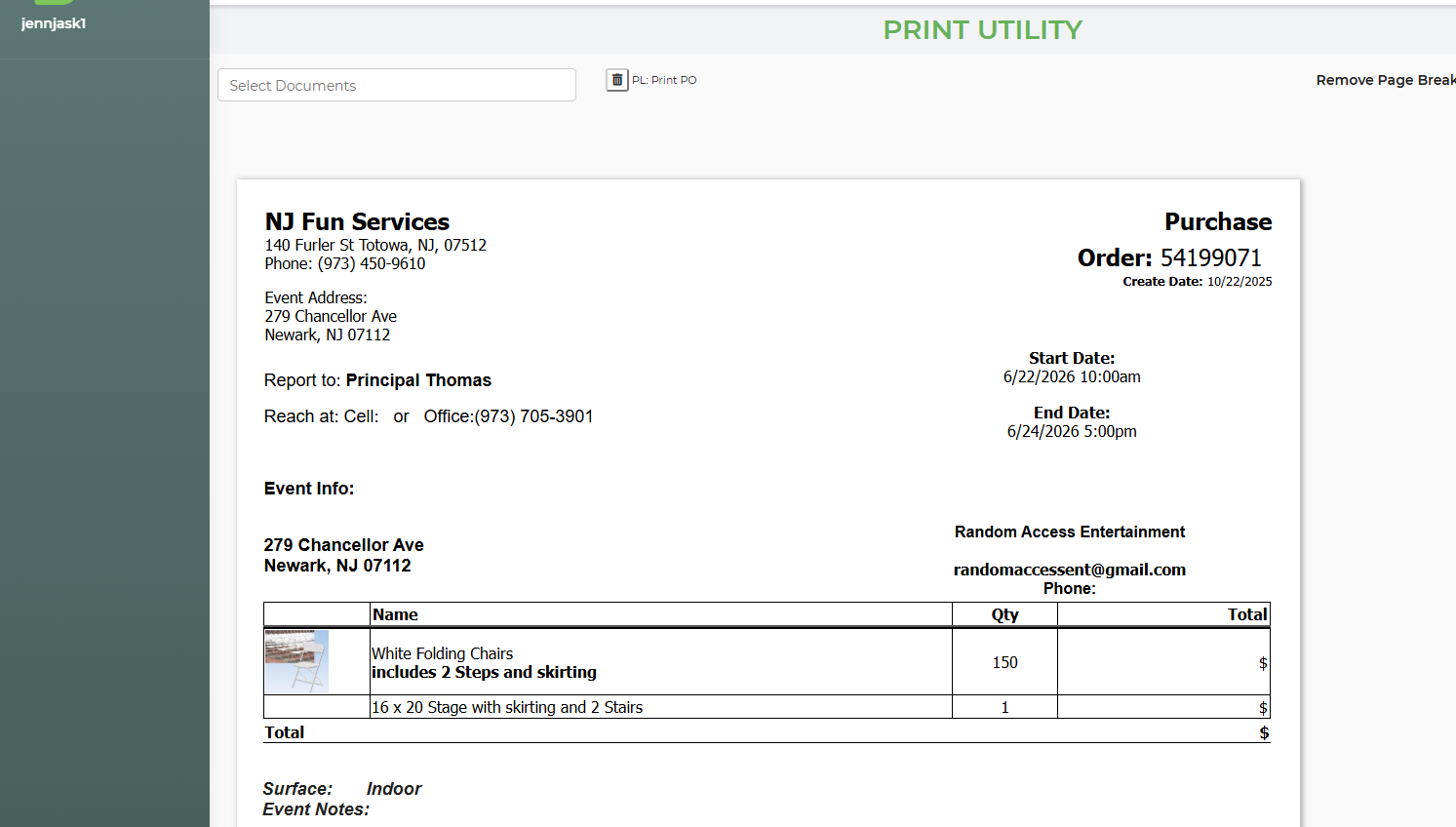
35c413803cba587282c9afb1934cda16

Comments (1)

photo
1

These variables will not work on a packing list...they are specific to vendor information and will work on a PO or vendor email only. You would have to click on the PO from the lead and print directly from that spot.

photo
1

We have this template set up and have used in the past-- but the margins are out of printable space -- see screen shot

741910b295dbcc6c89480db8b34cf65e

photo
1

Since this is a packing list template it is pulling ALL info from a lead. Not just for a specific vendor. Take a look at the rentals...only the stage is a vendor item on the lead...so only that one should list out. But since this is a packing list and not a PO it's listing all info out...and the vendor specific variables do not work.

photo
1

Sorry I was showing that we had it set up to print-- it used to print as the PO above-- I worked on it last night with AI chat --

photo
1

Let me try reverting back changes so I can see what you had different on this template

photo
1

I reverted it back and it's still showing the same...all items (not just the vendor items) and variables do not work. Are you sure this is the template you were using and was printing from the print utility? Because the PO isn't meant to print here

5d82619404ccb9816398055ac75c3336

photo
1

To be honest this is internal for us-- Can we get this to work

photo
1

meaning to structure tro print from here

photo
1

I can ask if this is a possibility...the problem is that when you print from the print utility it's giving you full lead info. Let's say on a lead you have more than one vendor and PO...the print utility doesn't know which one to choose...and just lists all the info (including the rentals) from the lead. Let me see if there's a way around this

photo
Leave a Comment
 
Attach a file
You can't vote. Please authorize!