


Troubleshoot: July 50% Weekday Filter Promotion
Answered
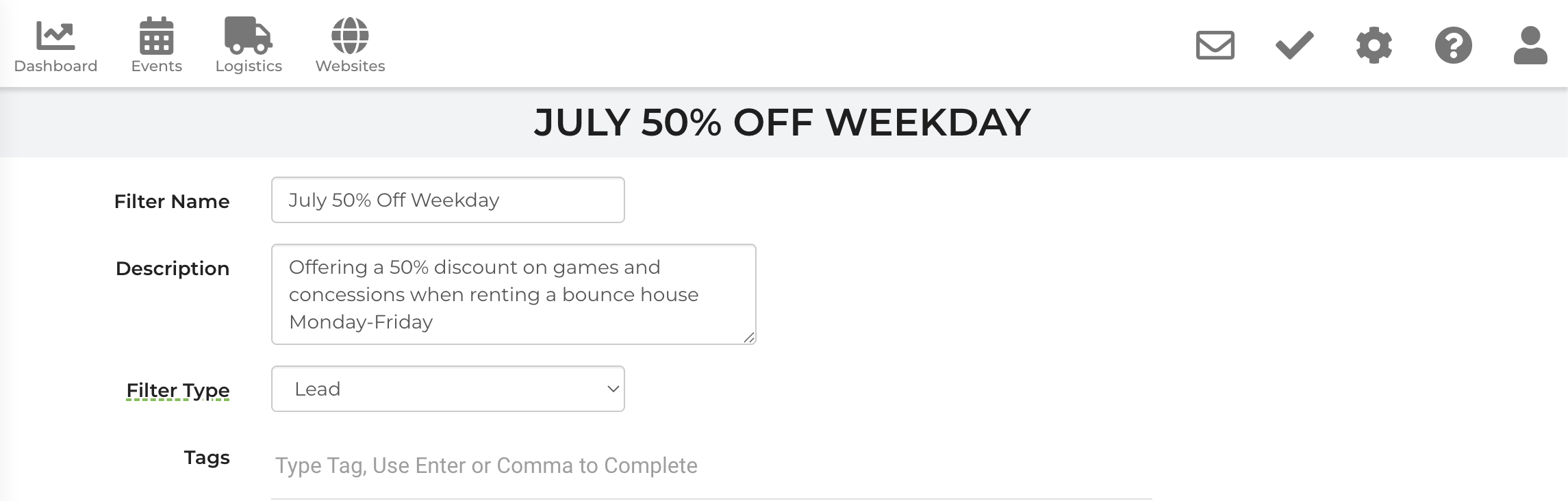
So, I am trying to create a way, either through a promotion (special) and/or through a filter, such that when a client books a bounce house during the week in July, that they can also add on a concession or game for 50% off.
 The same question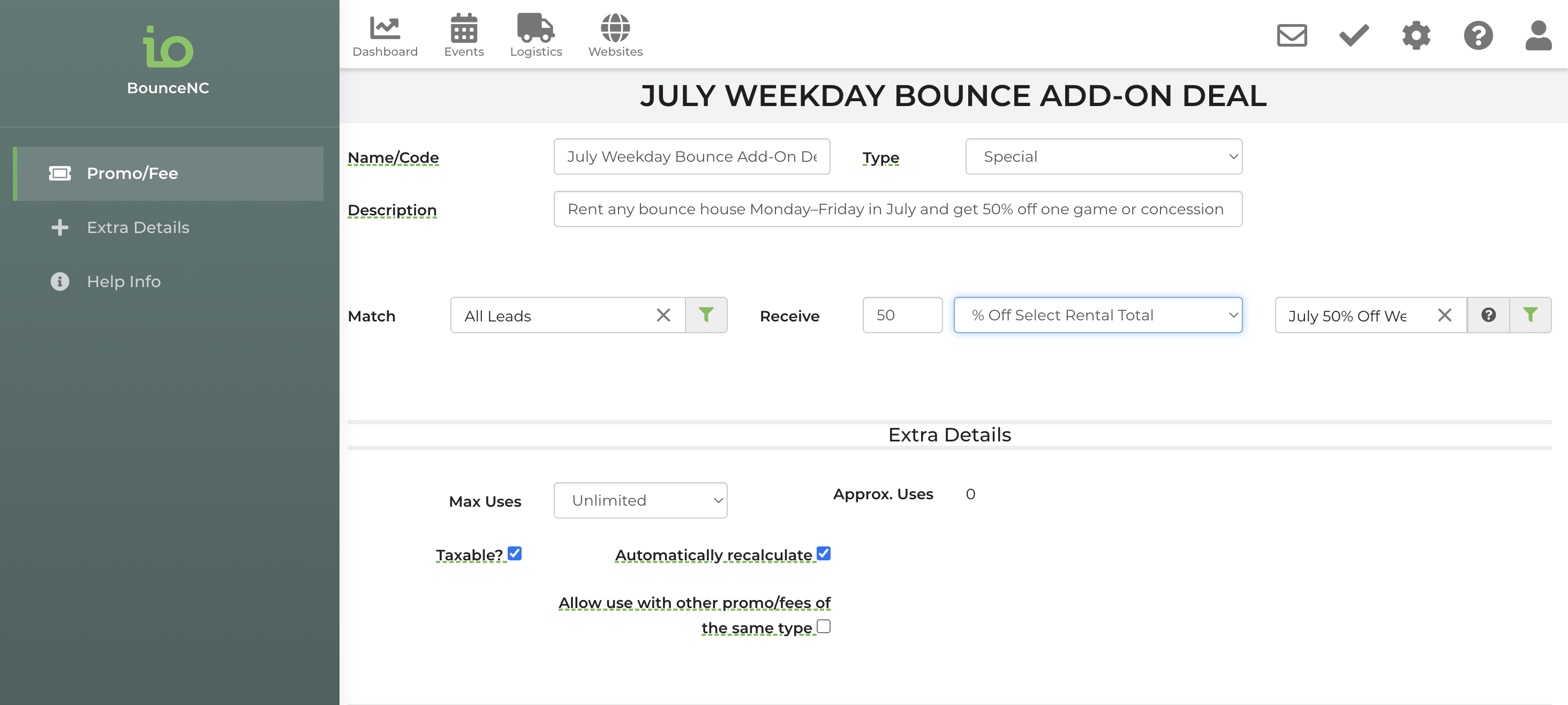
I've temporarily found a "solution" by creating conditional pricing for each item, but I'd rather not do that, ultimately.
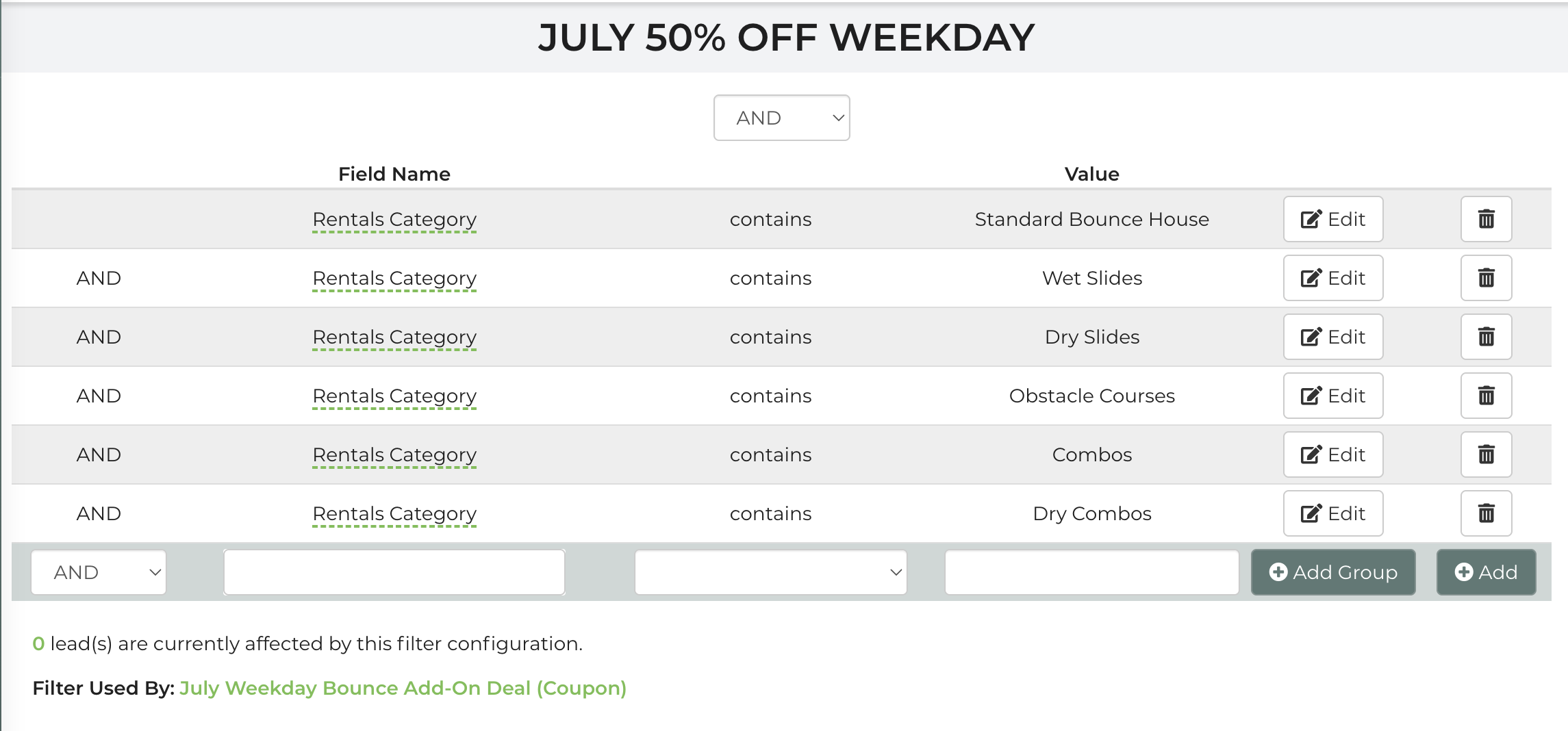
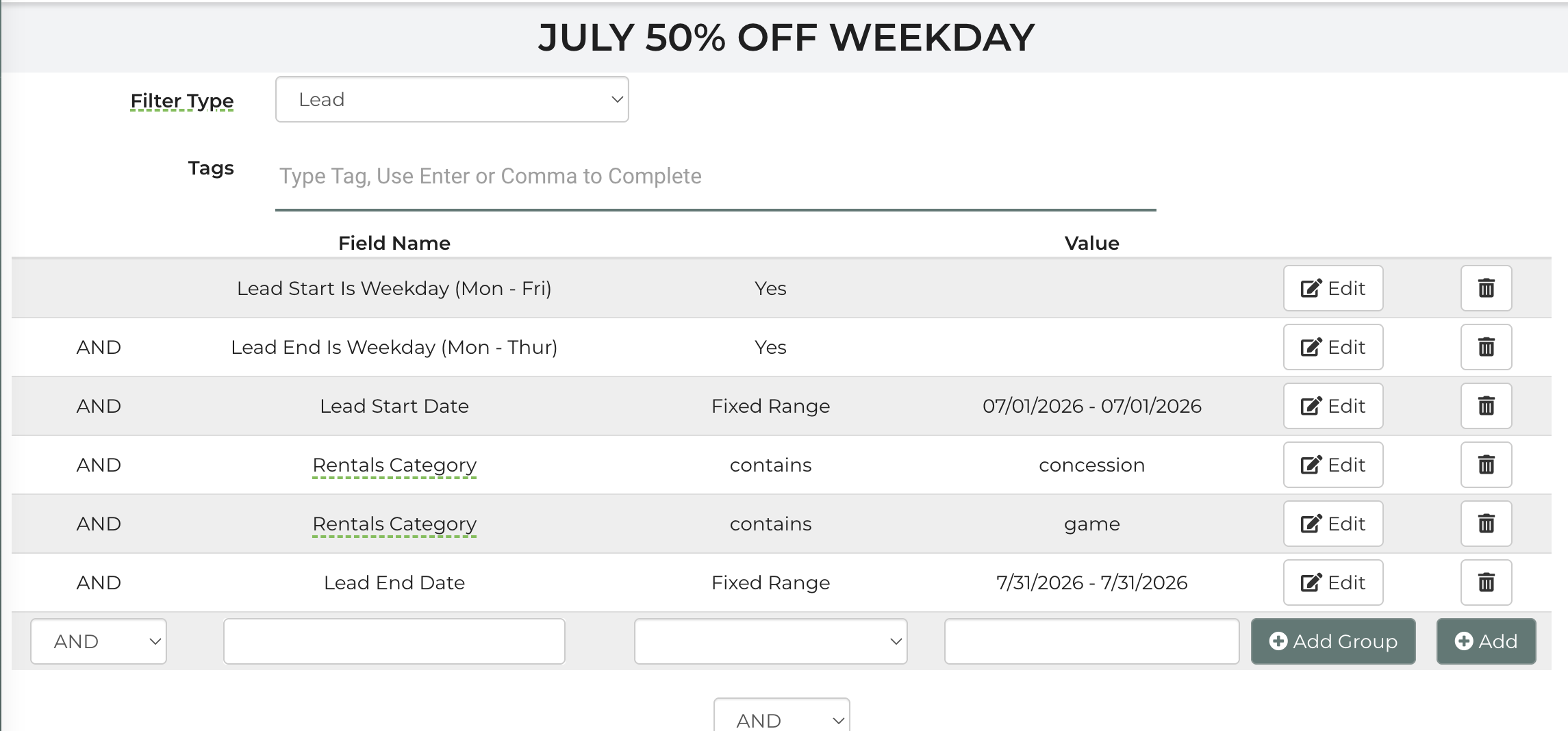
I've also massively updated the logic in the filter. I'm close but, I think my problem lies in the discount being applied rather than the filter itself.
I've temporarily found a "solution" by creating conditional pricing for each item, but I'd rather not do that, ultimately.
I've also massively updated the logic in the filter. I'm close but, I think my problem lies in the discount being applied rather than the filter itself.
You can build this by going to Settings-->Promotions & Fees. Click the arrow next to "Add Promotion" and select "Add Legacy Promotion". Make the type a special and in the requirements section make "How many/how much" 9999 dollars. Uncheck the "Event Date Always Valid" box and set the dates this promotion is valid for.
In the rewards section, set the "How many/how much" to "1 rental 50% off" and list each concession/game that can receive this 50% off discount. You can then save and this promotion will be set up properly!
You can build this by going to Settings-->Promotions & Fees. Click the arrow next to "Add Promotion" and select "Add Legacy Promotion". Make the type a special and in the requirements section make "How many/how much" 9999 dollars. Uncheck the "Event Date Always Valid" box and set the dates this promotion is valid for.
In the rewards section, set the "How many/how much" to "1 rental 50% off" and list each concession/game that can receive this 50% off discount. You can then save and this promotion will be set up properly!
Did I do it right?
Did I do it right?
You can watch my video below showing you how to set up the promotion properly!
You can watch my video below showing you how to set up the promotion properly!
I am totally a visual learner. The video was super helpful, so thank you! But, how do I only allow weekday rentals? I do not want to offer this on the weekends. By the way, we've decided to market this for all of June and July.
I am totally a visual learner. The video was super helpful, so thank you! But, how do I only allow weekday rentals? I do not want to offer this on the weekends. By the way, we've decided to market this for all of June and July.
Unfortunately there wouldn't be a way to make this only apply for weekends.
Unfortunately there wouldn't be a way to make this only apply for weekends.
Could you set up a coupon and use a filter? I noticed that in the filter section there is choices for Lead start date Monday thru Thursday and Lead end date Monday thru Thursday. And then in the coupon use that filter to apply any discount you want? I don't know if the system will automatically offer it to the customer but you could do it from the back office. And you could put a statement on your home page about the discount and state "Ask us about our midweek discount".
Could you set up a coupon and use a filter? I noticed that in the filter section there is choices for Lead start date Monday thru Thursday and Lead end date Monday thru Thursday. And then in the coupon use that filter to apply any discount you want? I don't know if the system will automatically offer it to the customer but you could do it from the back office. And you could put a statement on your home page about the discount and state "Ask us about our midweek discount".
I have so many filters and promos now that I’m confused. The conditional pricing would need to be changed for each individual item (which I’ve successfully done), but this is a band-aid fix. I’d rather remove those and build it using the proper method. Filters seem to be a way to get the promo to be applied to the set of clients that fit the filter parameters. Only June and July, only weekday (Mon-Fri), must rent one bounce house and then you get 50%off one concession OR one game, no matter how many concessions or games are rented.
I have so many filters and promos now that I’m confused. The conditional pricing would need to be changed for each individual item (which I’ve successfully done), but this is a band-aid fix. I’d rather remove those and build it using the proper method. Filters seem to be a way to get the promo to be applied to the set of clients that fit the filter parameters. Only June and July, only weekday (Mon-Fri), must rent one bounce house and then you get 50%off one concession OR one game, no matter how many concessions or games are rented.
To provide a 50% discount on only one concession or game, you would need to use a Legacy Promotion. However, Legacy Promotions cannot be restricted to weekends only.
If restricting the promotion to weekends is the priority, you would need to use a standard promotion with a filter. In that case, the promotion could be limited to weekends, but it would apply a 50% discount to all qualifying concessions or games on the lead rather than just one item.
Because of these system limitations, you can only achieve one of these requirements at a time. You will need to determine which is more important for your promotion:
To provide a 50% discount on only one concession or game, you would need to use a Legacy Promotion. However, Legacy Promotions cannot be restricted to weekends only.
If restricting the promotion to weekends is the priority, you would need to use a standard promotion with a filter. In that case, the promotion could be limited to weekends, but it would apply a 50% discount to all qualifying concessions or games on the lead rather than just one item.
Because of these system limitations, you can only achieve one of these requirements at a time. You will need to determine which is more important for your promotion:
Replies have been locked on this page!