


Can't submit quote & Can't Remove Custom Field Box from Checkout
Answered
I have a custom field box "Notes / More Info" that I can't remove from my page. Can't locate it from "Optional Fields", and I believe that is preventing me from submitting a quote (to self-test)
Files:
Screenshot 2026...
 The same question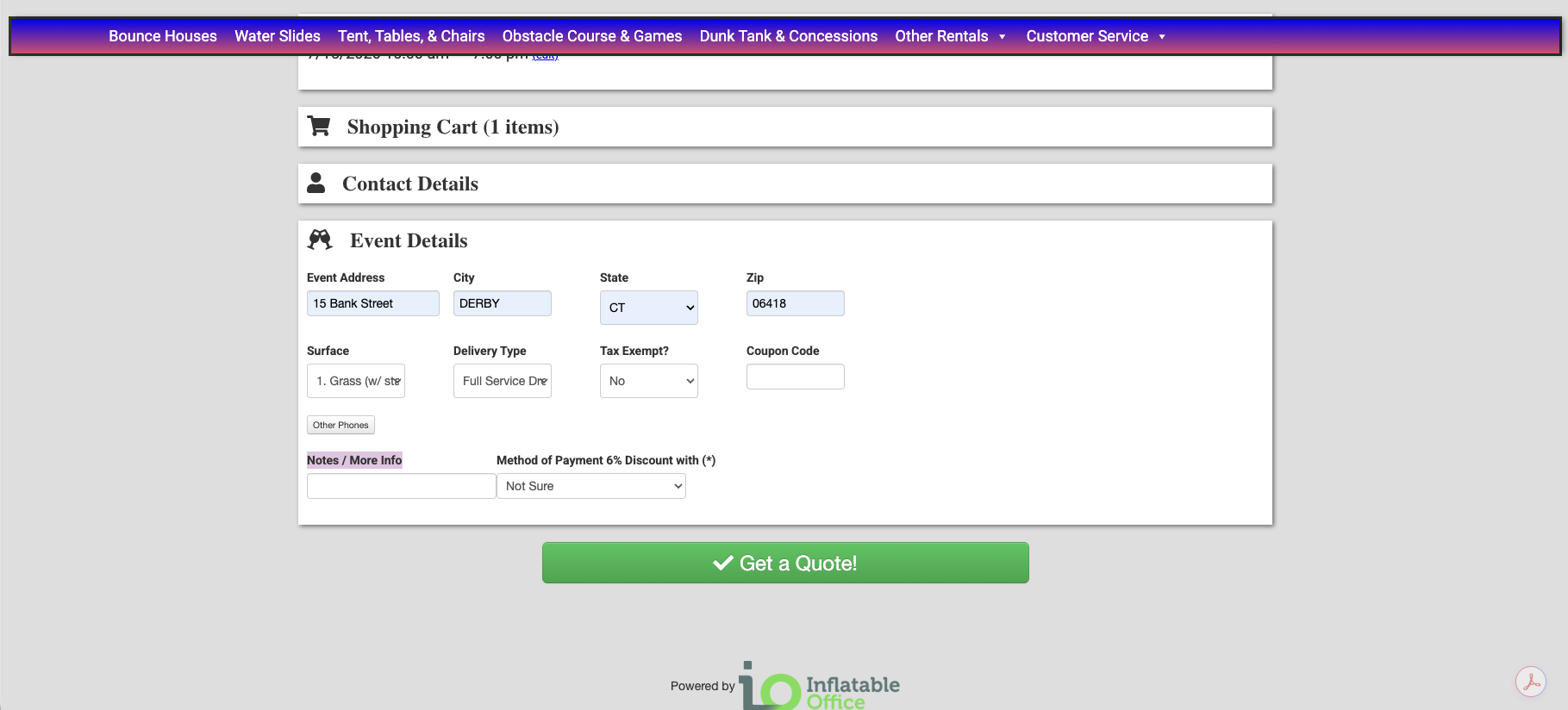
You can't vote. Please authorize!
I have figured it out!
I have figured it out!
The proper way to remove an optional field from a quote is for you to open the settings of that optional field, uncheck the boxes for show on.... Save and close. Check the page to make sure it's off (I always recommend but shouldn't be necessary) then delete the optional field.
The proper way to remove an optional field from a quote is for you to open the settings of that optional field, uncheck the boxes for show on.... Save and close. Check the page to make sure it's off (I always recommend but shouldn't be necessary) then delete the optional field.
Replies have been locked on this page!