


Best Way to Control Email Footer (Address & Unsubscribe)
I've read the KB article on Email Unsubscribes and understand the footer is there for CAN-SPAM compliance. No issues with that — just looking for the best way to handle two things:
1. Our warehouse address is showing on every email. We don't want that public for security reasons since that's where we store our inventory. What's the best way to prevent this — PO Box in Account Preferences, or is there another option?
2. The unsubscribe and email subscription links render as unstyled plain text below our branded templates and look out of place. We want to keep those links but build them directly into our templates so they match our design.
Would using filter-based automations instead of the Email Center's automatic templates give us full control over the email output, including the footer? Or will the same footer get appended regardless?
Just trying to figure out the best path forward. Appreciate any guidance!
Thanks,
Wes - Inflatables NC
 The same question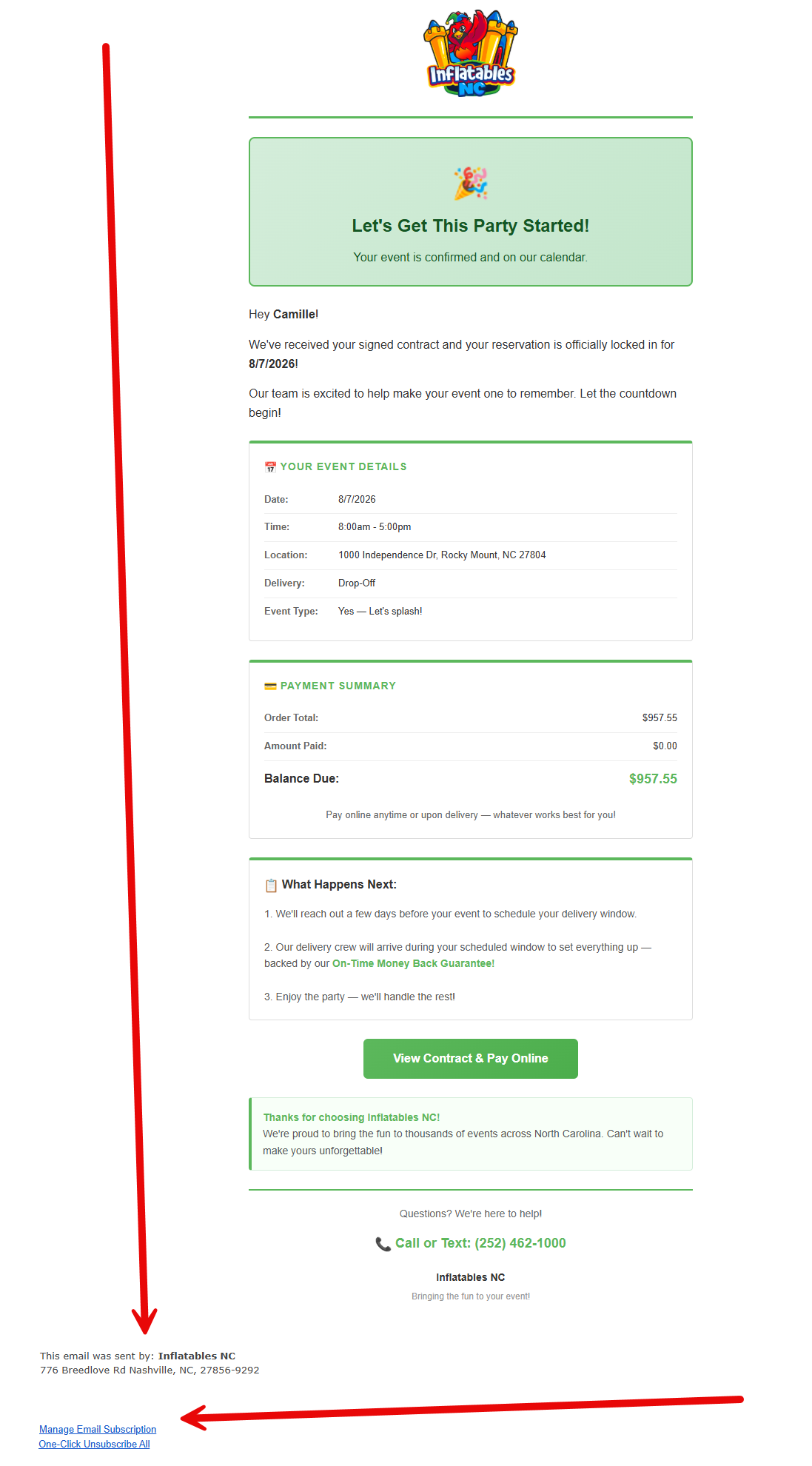
A physical address will need to be entered. Some will have the post office address in their town listed or even a paid for mailbox that has a physical address.
There currently isn't a way to update the unsubscribe and email subscription links at the bottom. Settings up an automation would still require the creation of an email template in the email center.
A physical address will need to be entered. Some will have the post office address in their town listed or even a paid for mailbox that has a physical address.
There currently isn't a way to update the unsubscribe and email subscription links at the bottom. Settings up an automation would still require the creation of an email template in the email center.
A physical address will need to be entered. Some will have the post office address in their town listed or even a paid for mailbox that has a physical address.
There currently isn't a way to update the unsubscribe and email subscription links at the bottom. Settings up an automation would still require the creation of an email template in the email center.
A physical address will need to be entered. Some will have the post office address in their town listed or even a paid for mailbox that has a physical address.
There currently isn't a way to update the unsubscribe and email subscription links at the bottom. Settings up an automation would still require the creation of an email template in the email center.
Thank you! You can close this ticket!
Thank you! You can close this ticket!
Replies have been locked on this page!