


Inventory Work
Awaiting Reply
It it has been a while since I worked on my inventory and I was trying to figure out how I could add different accessories to the bottom of my inventory item description see the attached screenshot. Also, where can I edit the text in Section titled Things to Consider Before Reserving: and the text Professional delivery to Houston TX and surrounding areas. Please submit a quote or contact us to be sure we service your area.
Files:
Screenshot 2026...
 The same question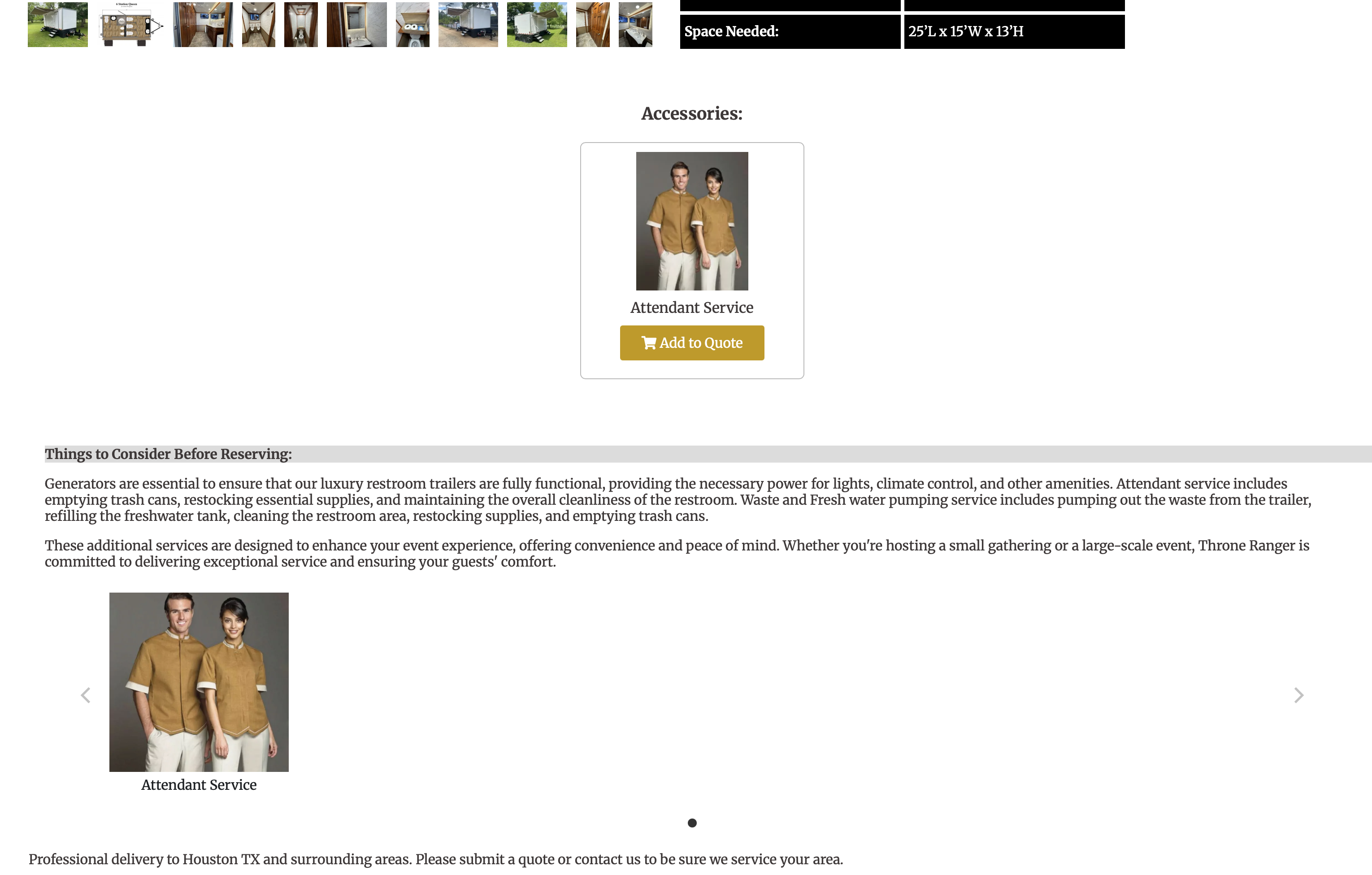
You can't vote. Please authorize!
Hi Harry,
You can attach an accessory to an item by navigating to Settings → Inventory, opening the desired item, and selecting the Accessory section (as shown below). From there, begin typing the name of the item you’d like to add as an accessory and choose it from the dropdown menu.
If you click the green “Show Advanced Accessory Options” button, additional settings will appear. These options allow you to:
The “Hide” option is commonly used when an accessory is required and you want customers to see only the main item listed, rather than the item along with each required accessory, which can sometimes cause confusion.
It appears that the Service Area text and the Things to Consider section are individually coded into each item. If you could please let me know the specific changes you would like made to each section, I will submit a ticket to our web team to have them updated accordingly.
Hi Harry,
You can attach an accessory to an item by navigating to Settings → Inventory, opening the desired item, and selecting the Accessory section (as shown below). From there, begin typing the name of the item you’d like to add as an accessory and choose it from the dropdown menu.
If you click the green “Show Advanced Accessory Options” button, additional settings will appear. These options allow you to:
The “Hide” option is commonly used when an accessory is required and you want customers to see only the main item listed, rather than the item along with each required accessory, which can sometimes cause confusion.
It appears that the Service Area text and the Things to Consider section are individually coded into each item. If you could please let me know the specific changes you would like made to each section, I will submit a ticket to our web team to have them updated accordingly.
Replies have been locked on this page!