


Ability to Hide Certain Accessories on Delivery Planner Lead Hover
Under Consideration
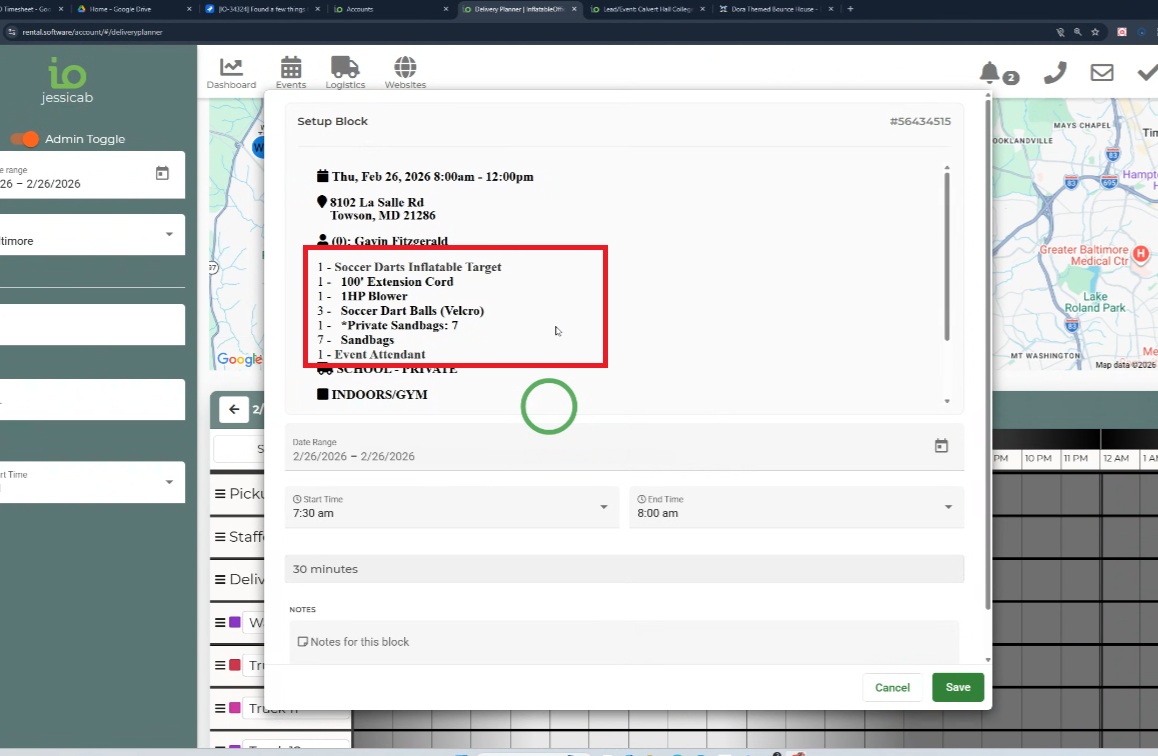
Optional ability to hide rental/inventory accessories on the delivery planner .
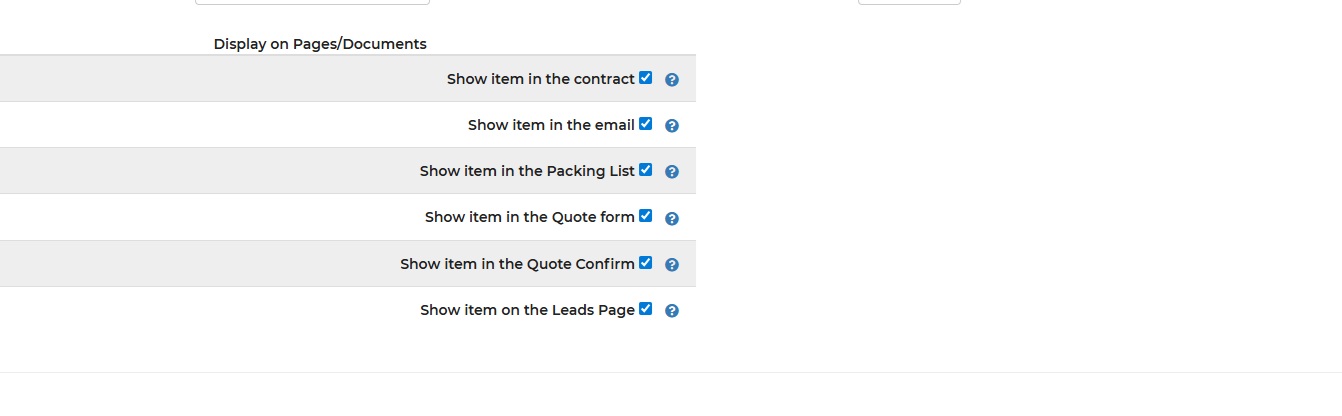
Instead of the delivery popup pulling from the packing list, maybe another "display on" selection?
Thanks for the consideration :)
 I like this idea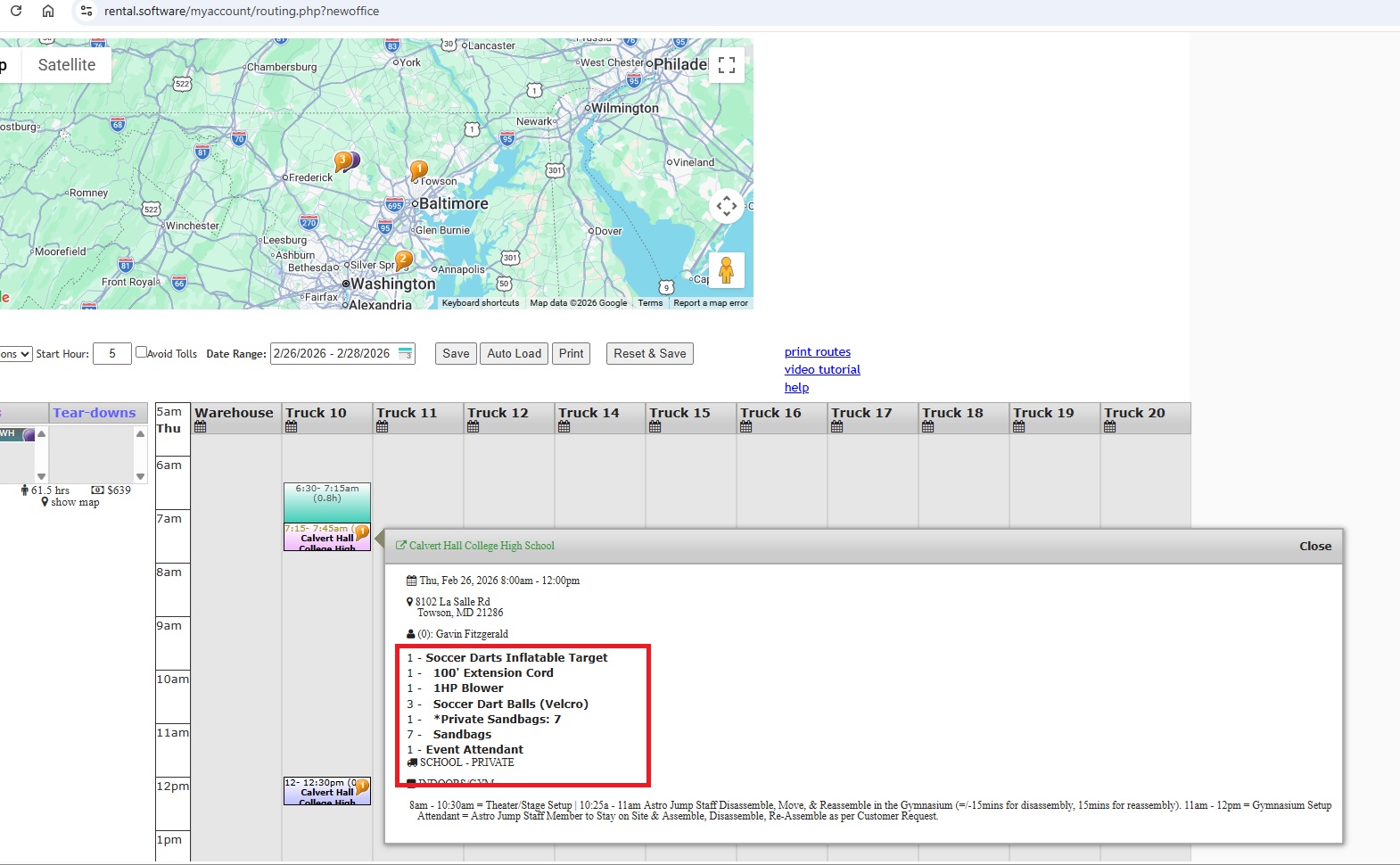
Thanks for your suggestion! We may consider it for a future release. To see all of our exciting new releases, check out the announcement page!
Thanks for your suggestion! We may consider it for a future release. To see all of our exciting new releases, check out the announcement page!
Will this work for you?
Dev added this optional field:
https://rental.software/account/#/settings/optionalfields/userfields,379139
And edited the Pop up Template to have this:
</div><span style="~~customfield-379139==No~display:none~ ~~;">rentalqty - <strong>rentalname</strong> rental_pack_list</span>
And then they only changed the optional field on this item to test
https://rental.software/account/#/settings/inventory/2112496
But it doesn’t show in the list anymore
Will this work for you?
Dev added this optional field:
https://rental.software/account/#/settings/optionalfields/userfields,379139
And edited the Pop up Template to have this:
</div><span style="~~customfield-379139==No~display:none~ ~~;">rentalqty - <strong>rentalname</strong> rental_pack_list</span>
And then they only changed the optional field on this item to test
https://rental.software/account/#/settings/inventory/2112496
But it doesn’t show in the list anymore
Hi there Gabrielle! Yes, I had actually called in and talked to Jen and Susan earlier in the week because I was freaking out because I noticed this change / new optional field in my inventory AND it said that the optional field had been created by me o_o and I told her that it worked great! I am so appreciative to you all - and also feel so dumb because I could have done that myself and didn't even think of it :/ Thank you thank you thank you!
Hi there Gabrielle! Yes, I had actually called in and talked to Jen and Susan earlier in the week because I was freaking out because I noticed this change / new optional field in my inventory AND it said that the optional field had been created by me o_o and I told her that it worked great! I am so appreciative to you all - and also feel so dumb because I could have done that myself and didn't even think of it :/ Thank you thank you thank you!
Hey Jessica, Per Developer:
I believe when an item has show as separate items set under their accessories this excludes them from the rental loop. As an example here is the quote form for the same lead. Only this dinosaur accessory shows even though the main item is set to show on the quote form. So instead of having the main item set to show in the delivery popup window via the custom field they probably want all of the bounce type accessories under this item to be set to show.
This is from the question you called in about:
user called in with another issue with this? She has banners and they are listed as accessories, but show as their own units in the accessory field of the item but now it’s not showing up on the delivery planner at all when this item is chosen. Look at lead 58535511 on the delivery planner for Mar 14, 2026
Hey Jessica, Per Developer:
I believe when an item has show as separate items set under their accessories this excludes them from the rental loop. As an example here is the quote form for the same lead. Only this dinosaur accessory shows even though the main item is set to show on the quote form. So instead of having the main item set to show in the delivery popup window via the custom field they probably want all of the bounce type accessories under this item to be set to show.
This is from the question you called in about:
user called in with another issue with this? She has banners and they are listed as accessories, but show as their own units in the accessory field of the item but now it’s not showing up on the delivery planner at all when this item is chosen. Look at lead 58535511 on the delivery planner for Mar 14, 2026
Hey Jen, Thank you so much for looking into this.
Yes, I think it is because of how the banners are set up with the Bounces, 4n1, and 5n1s as optional accessories and "list these accessories to the customer as if they are separate units".
Because of the optional field and the conditional coding on the delivery planner, and we don't need the blower and cord to show- the coding is also making the unit itself (Dinosaur Bounce House) invisible. Is there an alternative that I can do in the system - either with how the units with banners are setup in IO or something else to make this work?
Hey Jen, Thank you so much for looking into this.
Yes, I think it is because of how the banners are set up with the Bounces, 4n1, and 5n1s as optional accessories and "list these accessories to the customer as if they are separate units".
Because of the optional field and the conditional coding on the delivery planner, and we don't need the blower and cord to show- the coding is also making the unit itself (Dinosaur Bounce House) invisible. Is there an alternative that I can do in the system - either with how the units with banners are setup in IO or something else to make this work?
Hi there! Just wanted to let you know that I found the issue. Somehow, some of themes (inventory items) the optional "show on popup" was not selected, and this affected the inflatable unit itself showing on the delivery planner. (still a little odd since the optional stakes and sandbags to be selected are essentially coded the same way, and they do not show). Just wanted to give you an update!
Hi there! Just wanted to let you know that I found the issue. Somehow, some of themes (inventory items) the optional "show on popup" was not selected, and this affected the inflatable unit itself showing on the delivery planner. (still a little odd since the optional stakes and sandbags to be selected are essentially coded the same way, and they do not show). Just wanted to give you an update!
Replies have been locked on this page!