


Service Area
Answered
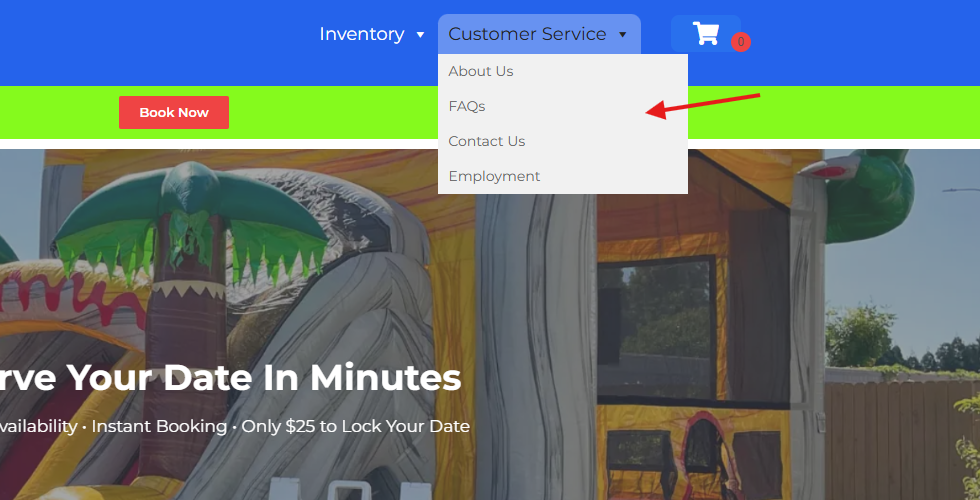
How do I create a new page and place it under the customer service area. I want a Page called "Service Area" Can you help me create this page. While you're in there can you change the order of the drop-down tabs/pages to 1. About Us, 2. Service Area, 3. FAQ, 4. Contacts Us and 5. Employment (But change the name to "Careers")
 The same question
 You can't vote. Please authorize!
Hi Robert,
Here is an article that shows you how to create a new page. You would edit the page using the "edit page" button similar to how you edit your homepage.
To edit the menu go to Websites-->Admin Login-->Appearance-->Menu.
Simply click and drag the menu items to change the order, then click "save" at the bottom of the page.
Hi Robert,
Here is an article that shows you how to create a new page. You would edit the page using the "edit page" button similar to how you edit your homepage.
To edit the menu go to Websites-->Admin Login-->Appearance-->Menu.
Simply click and drag the menu items to change the order, then click "save" at the bottom of the page.
Replies have been locked on this page!