


SMTP Error - Gmail
Answered
I've authenticated with Gmail, but when I test I get "Error: Check your SMTP settings. Error details: Missing password."
Since there's nothing really under SMTP settings, much less a password, I just revoked Gmail and then reauthenticated, but it's giving me the same error.
I do not have 2FA enabled on this account. I've already attempted to turn on "less secure apps" but that's not available for my account (see screenshot attached).
What do I need to change/update for it not to have any errors?
Thanks,
Files:
Screen Shot 202...
 The same question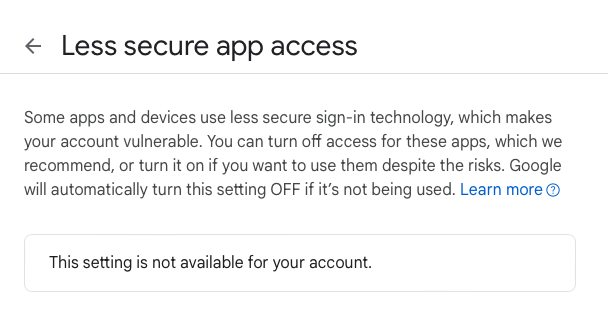
You can't vote. Please authorize!
It looks like even w/ the password error....your emails are going out. Can you try a few today and see if they still continue to go out?
It looks like even w/ the password error....your emails are going out. Can you try a few today and see if they still continue to go out?
You may have to use an app password instead...try this article:
https://support.google.com/mail/answer/185833?hl=en
You may have to use an app password instead...try this article:
https://support.google.com/mail/answer/185833?hl=en
My account is not able to use app passwords. App passwords are antiquated and replaced by “log in with google” which is what I used. Google does say that I’m connected to IO, so I’m not sure why IO doesn’t think I’m connected with Google.
The Cosmic Bounce Team
928-757-5867 (JUMP)
cosmicbouncehouse@gmail.com
www.cosmicbouncehouse.com
Everything you need for your next event!
My account is not able to use app passwords. App passwords are antiquated and replaced by “log in with google” which is what I used. Google does say that I’m connected to IO, so I’m not sure why IO doesn’t think I’m connected with Google.
The Cosmic Bounce Team
928-757-5867 (JUMP)
cosmicbouncehouse@gmail.com
www.cosmicbouncehouse.com
Everything you need for your next event!
It looks like even w/ the password error....your emails are going out. Can you try a few today and see if they still continue to go out?
It looks like even w/ the password error....your emails are going out. Can you try a few today and see if they still continue to go out?
Replies have been locked on this page!