


Quote/Rental Time
Answered
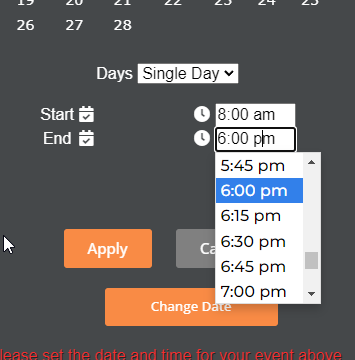
How can I eliminate customers from being able to book later than 6PM on a single day event?
I have attached screen shots below. I do not want the customers to be able to book later than 6PM. I am trying to start using the automated event reminder emails but it does not go off the time slots the customer chooses. It goes off the 7:00-7:00 slot they chose during the quote.
Do you have any recommendations on this?
 The same question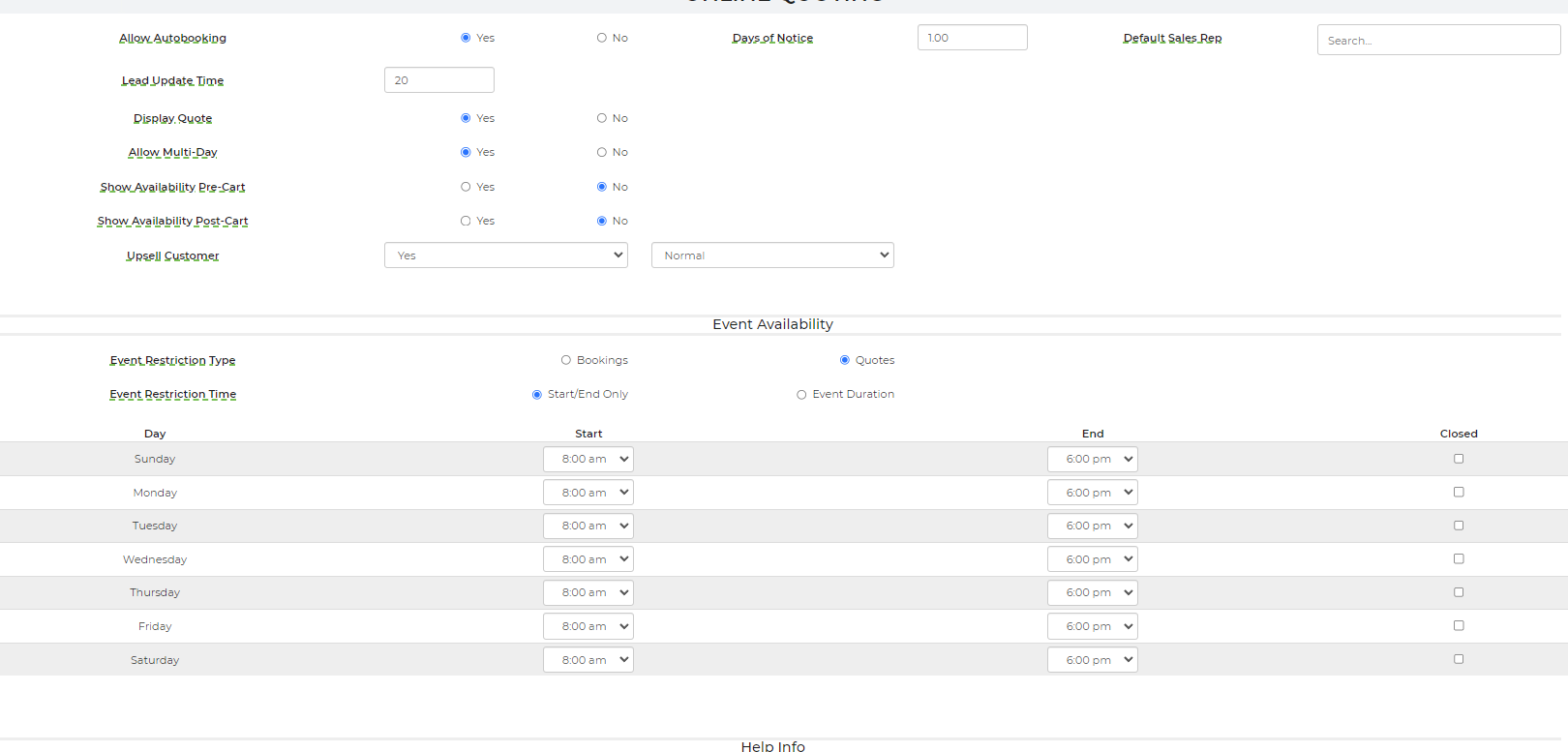

You can't vote. Please authorize!
I have changed this for you in your cart settings in WordPress. Your customers will not be able to choose any time later than 6PM.
I have changed this for you in your cart settings in WordPress. Your customers will not be able to choose any time later than 6PM.
Okay great! Thank you. I will make sure to remember that if I want to change it again.
Respectfully
Okay great! Thank you. I will make sure to remember that if I want to change it again.
Respectfully
Hey Erika,
I apologize can I get this reverted back so they can pick anytime to "Schedule" an event?
Respectfully
Hey Erika,
I apologize can I get this reverted back so they can pick anytime to "Schedule" an event?
Respectfully
Hello,
I have removed the time picker restrictions on your shopping cart.
The event availability hours you have set up in Settings-->Online Quoting is actually restricting your customers from autobooking for events outside of those hours. So basically, they can schedule and get a quote for an event after 6pm, but they will not be able to auto book for this time.
Let us know if you have any questions.
Thank you
Hello,
I have removed the time picker restrictions on your shopping cart.
The event availability hours you have set up in Settings-->Online Quoting is actually restricting your customers from autobooking for events outside of those hours. So basically, they can schedule and get a quote for an event after 6pm, but they will not be able to auto book for this time.
Let us know if you have any questions.
Thank you
Replies have been locked on this page!