


Google Calendar Stopped Syncing
Hello,
Today I received an email at 5:11PM that said, "At least one of your Google Calendar syncs are erring. If you want InflatableOffice/EventOffice to continue syncing to your Google calendars, please log in, go to https://www.inflatableoffice.com/account/#/settings/gcals, then edit and save the red highlighted calendar syncs. Thanks!"
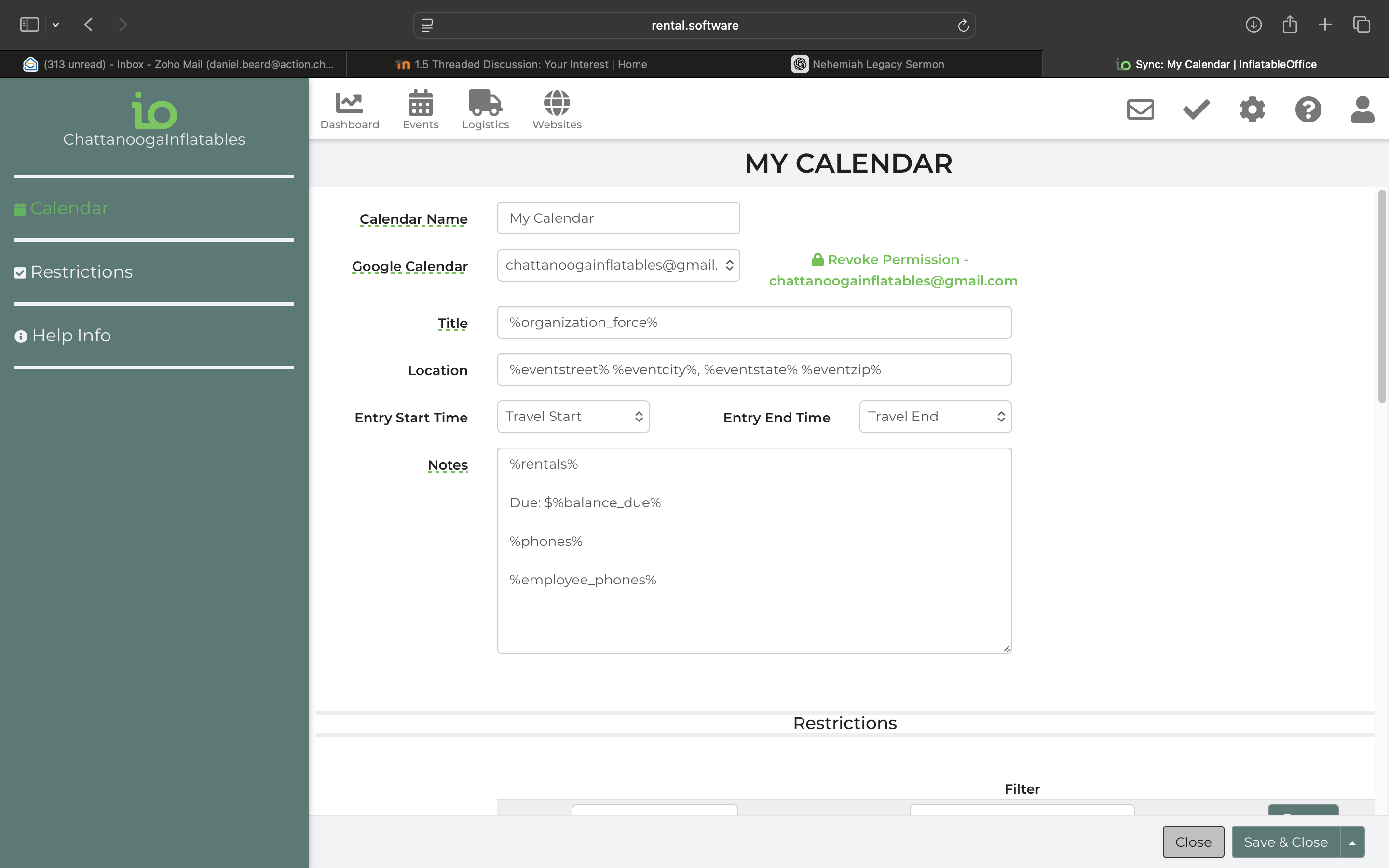
So this evening once I got home, I followed the instructions by logging in and clicking the link. However nothing is red. I looked and sure enough though something that had got contracted today wasn't on my google calendar so I revoked its permission. And granted access again and went thru the steps to receive a 2nd email at 11:30 tonight saying the same thing. Help me get my contracted and confirmed inflatable bookings back to my google calendar please.
 The same question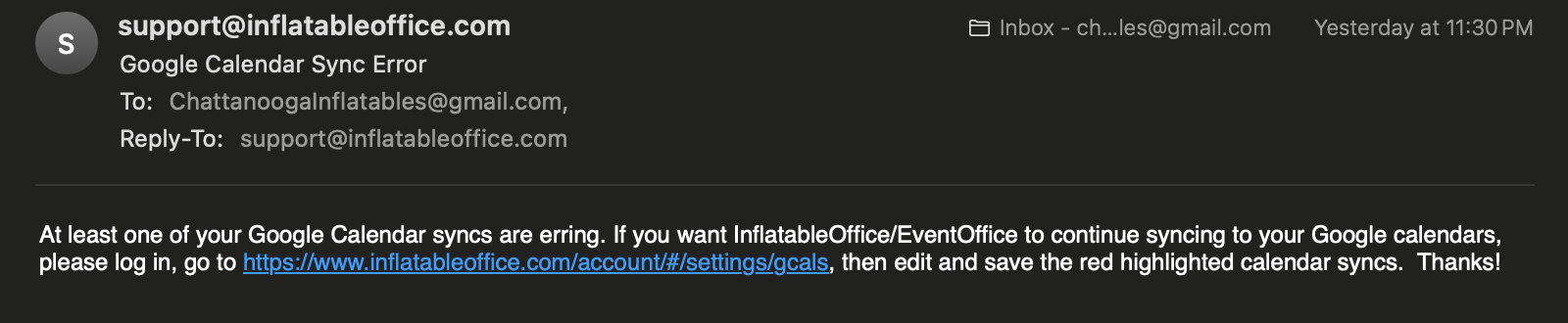
I have let our developers know this should be fixed soon.
I have let our developers know this should be fixed soon.
Thank you ~ I have granted permission. I will wait 15+ minutes and see if the calendar updates.
Office Manager,
The Posh Privy LLC
Office: (707) 395-7674
Mobile: (406) 431-2407
Personal: (406) 431-2698
Email: kim@theposhprivy.com
Website: www.theposhprivy.com
Address: PO Box 1603 Healdsburg, CA 95448
EVERY ASPECT OF YOUR EVENT SHOULD BE POSH
Thank you ~ I have granted permission. I will wait 15+ minutes and see if the calendar updates.
Office Manager,
The Posh Privy LLC
Office: (707) 395-7674
Mobile: (406) 431-2407
Personal: (406) 431-2698
Email: kim@theposhprivy.com
Website: www.theposhprivy.com
Address: PO Box 1603 Healdsburg, CA 95448
EVERY ASPECT OF YOUR EVENT SHOULD BE POSH
Hi again ~ the events are still not transferring over. Do I need to "Add Sync" to the calendar?
This is what it looks like right now:
Thank you,
Office Manager,
The Posh Privy LLC
Office: (707) 395-7674
Mobile: (406) 431-2407
Personal: (406) 431-2698
Email: kim@theposhprivy.com
Website: www.theposhprivy.com
Address: PO Box 1603 Healdsburg, CA 95448
EVERY ASPECT OF YOUR EVENT SHOULD BE POSH
Hi again ~ the events are still not transferring over. Do I need to "Add Sync" to the calendar?
This is what it looks like right now:
Thank you,
Office Manager,
The Posh Privy LLC
Office: (707) 395-7674
Mobile: (406) 431-2407
Personal: (406) 431-2698
Email: kim@theposhprivy.com
Website: www.theposhprivy.com
Address: PO Box 1603 Healdsburg, CA 95448
EVERY ASPECT OF YOUR EVENT SHOULD BE POSH
Please try going to Settings-->Google Calendar, revoke and regrant permission for your calendar.
Please try going to Settings-->Google Calendar, revoke and regrant permission for your calendar.
Okay, I just did that, but let me try again.
Okay, I just did that, but let me try again.
The issue has been resolved. Please give it 1-2 hours to catch up. if you are still having issues, then you can try re-granting permissions again.
Sorry for the trouble!
The issue has been resolved. Please give it 1-2 hours to catch up. if you are still having issues, then you can try re-granting permissions again.
Sorry for the trouble!
Thank you, the events have appeared on my Google calendar. It seems that the "rental span" calendar has been reactivated:
We no longer want to see the rental booking span on our Google calendar. Is it okay to just delete it? I don't want to mess anything up after you have worked so diligently to fix it.
Thanks,
Office Manager,
The Posh Privy LLC
Office: (707) 395-7674
Mobile: (406) 431-2407
Personal: (406) 431-2698
Email: kim@theposhprivy.com
Website: www.theposhprivy.com
Address: PO Box 1603 Healdsburg, CA 95448
EVERY ASPECT OF YOUR EVENT SHOULD BE POSH
Thank you, the events have appeared on my Google calendar. It seems that the "rental span" calendar has been reactivated:
We no longer want to see the rental booking span on our Google calendar. Is it okay to just delete it? I don't want to mess anything up after you have worked so diligently to fix it.
Thanks,
Office Manager,
The Posh Privy LLC
Office: (707) 395-7674
Mobile: (406) 431-2407
Personal: (406) 431-2698
Email: kim@theposhprivy.com
Website: www.theposhprivy.com
Address: PO Box 1603 Healdsburg, CA 95448
EVERY ASPECT OF YOUR EVENT SHOULD BE POSH
Hi,
I revoked and regranted the google calendar. I also deleted the "booking span" calendar but it is still coming through on my calendar:
Are you able to do something from your end to eliminate the rental booking span sync?
Thank you,
Office Manager,
The Posh Privy LLC
Office: (707) 395-7674
Mobile: (406) 431-2407
Personal: (406) 431-2698
Email: kim@theposhprivy.com
Website: www.theposhprivy.com
Address: PO Box 1603 Healdsburg, CA 95448
EVERY ASPECT OF YOUR EVENT SHOULD BE POSH
Hi,
I revoked and regranted the google calendar. I also deleted the "booking span" calendar but it is still coming through on my calendar:
Are you able to do something from your end to eliminate the rental booking span sync?
Thank you,
Office Manager,
The Posh Privy LLC
Office: (707) 395-7674
Mobile: (406) 431-2407
Personal: (406) 431-2698
Email: kim@theposhprivy.com
Website: www.theposhprivy.com
Address: PO Box 1603 Healdsburg, CA 95448
EVERY ASPECT OF YOUR EVENT SHOULD BE POSH
Deleting the "booking span" calendar should remove the sync. You would need to manually delete the events from your calendar.
Deleting the "booking span" calendar should remove the sync. You would need to manually delete the events from your calendar.
Ok. Thank you.
Office Manager,
The Posh Privy LLC
Office: (707) 395-7674
Mobile: (406) 431-2407
Personal: (406) 431-2698
Email: kim@theposhprivy.com
Website: www.theposhprivy.com
Address: PO Box 1603 Healdsburg, CA 95448
EVERY ASPECT OF YOUR EVENT SHOULD BE POSH
Ok. Thank you.
Office Manager,
The Posh Privy LLC
Office: (707) 395-7674
Mobile: (406) 431-2407
Personal: (406) 431-2698
Email: kim@theposhprivy.com
Website: www.theposhprivy.com
Address: PO Box 1603 Healdsburg, CA 95448
EVERY ASPECT OF YOUR EVENT SHOULD BE POSH
Replies have been locked on this page!